
 Deutsch (Deutschland)
 Polski (PL)
IDK-11 is the functional specification for an integration or a modification: the need, the required behaviour, data, error handling and tests, approved before anything is built. In Implementer each integration or modification CRIM object gets one specification (key SIM-001 and so on). Its requirements, data mapping, error handling and test cases are rows, and approval is tied to a saved version. The template is on the kit page. Configurations and reports use IDK-12, which shares the same screen.
What you get in the application
Specifications is in the project menu. It has two tabs, Readiness and Specifications. The Specifications tab lists each specification with its CRIM object, status (Draft, Submitted, Approved, Cancelled) and the version in force. Above the list, CRIM objects approved for specification that have none yet appear with a Create specification button.
A functional specification page holds:
- Text fields: purpose, scope, assumptions, process flow, security, performance and volumes.
- Interfaces: links to rows in the interface register (IDK-13), up to 20.
- Rows: requirements (code, requirement, priority Must, Should or Could, source), data mapping (source item, target item, rule, required), error handling (code, condition, behaviour, severity, retry) and test cases (code, what is tested, expected result, covers, kind Unit, Integration or Acceptance).
- A Versions table and an approval block.
Row codes such as R1, E1 and T1 are free text. A test case names the requirement codes it covers in the Covers field.
How to use it
- Open a CRIM object of type Integration or Modification that is approved for specification and press Create specification, or start from the Specifications tab. An object can have one active specification.
- Fill in the fields and rows, then save. Do not enter passwords or other secrets.
- Press Generate first version. A version contains only what is saved. The PDF is available in Polish and English.
- Press Submit for approval. It needs requirements, error handling and test cases.
- Two steps decide: first a solution architect or technical solution manager, then the customer project manager or a process owner. Pick Decide on the specification in the Approvals inbox.
- On the CRIM object press Mark as specified.
To change an approved specification press Back to draft, edit and generate a new version. The earlier version stays downloadable.
Screenshots
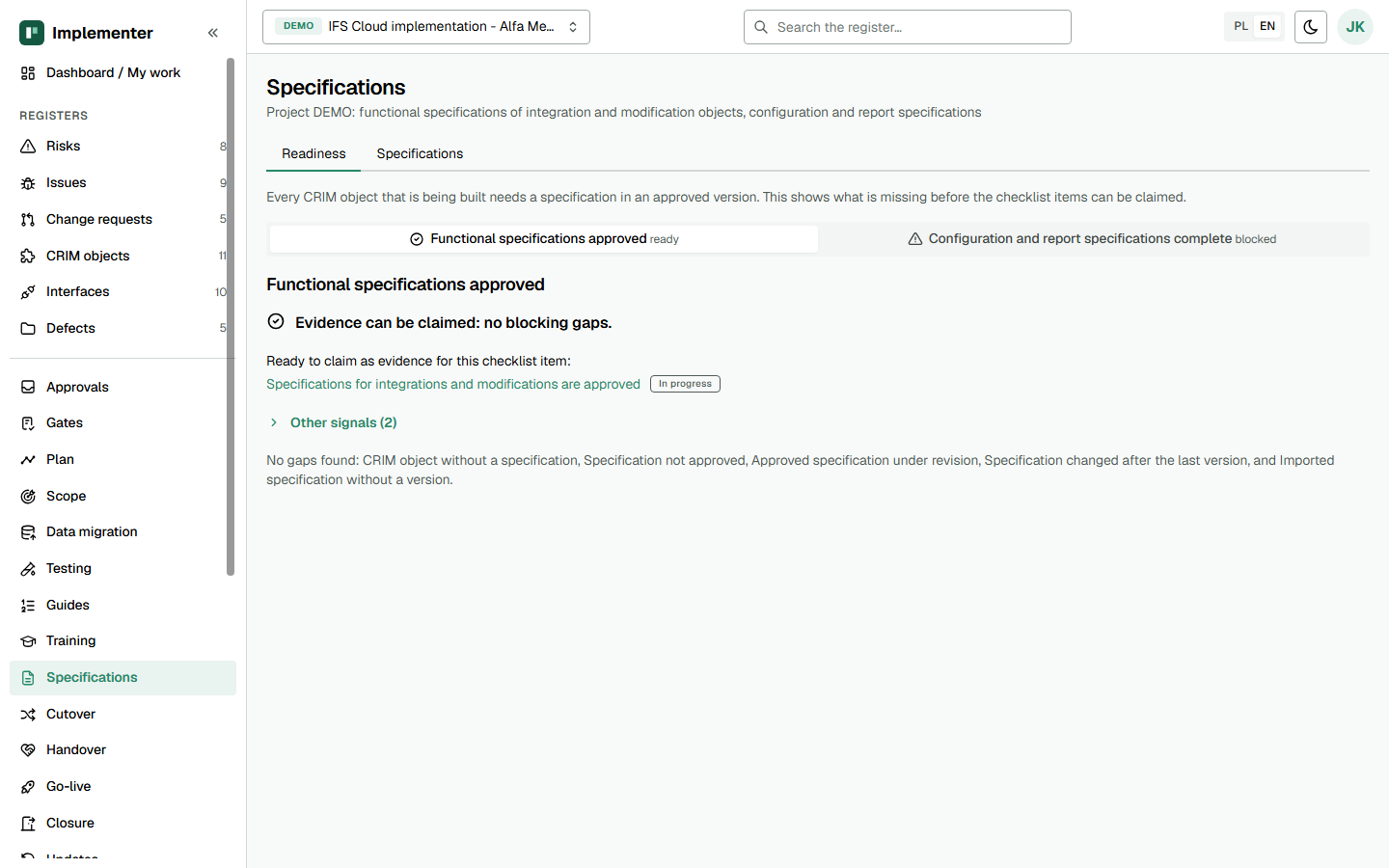
Readiness tab on demo data. The functional stage is ready with no blocking gaps and two other signals; the configuration and report stage is blocked.
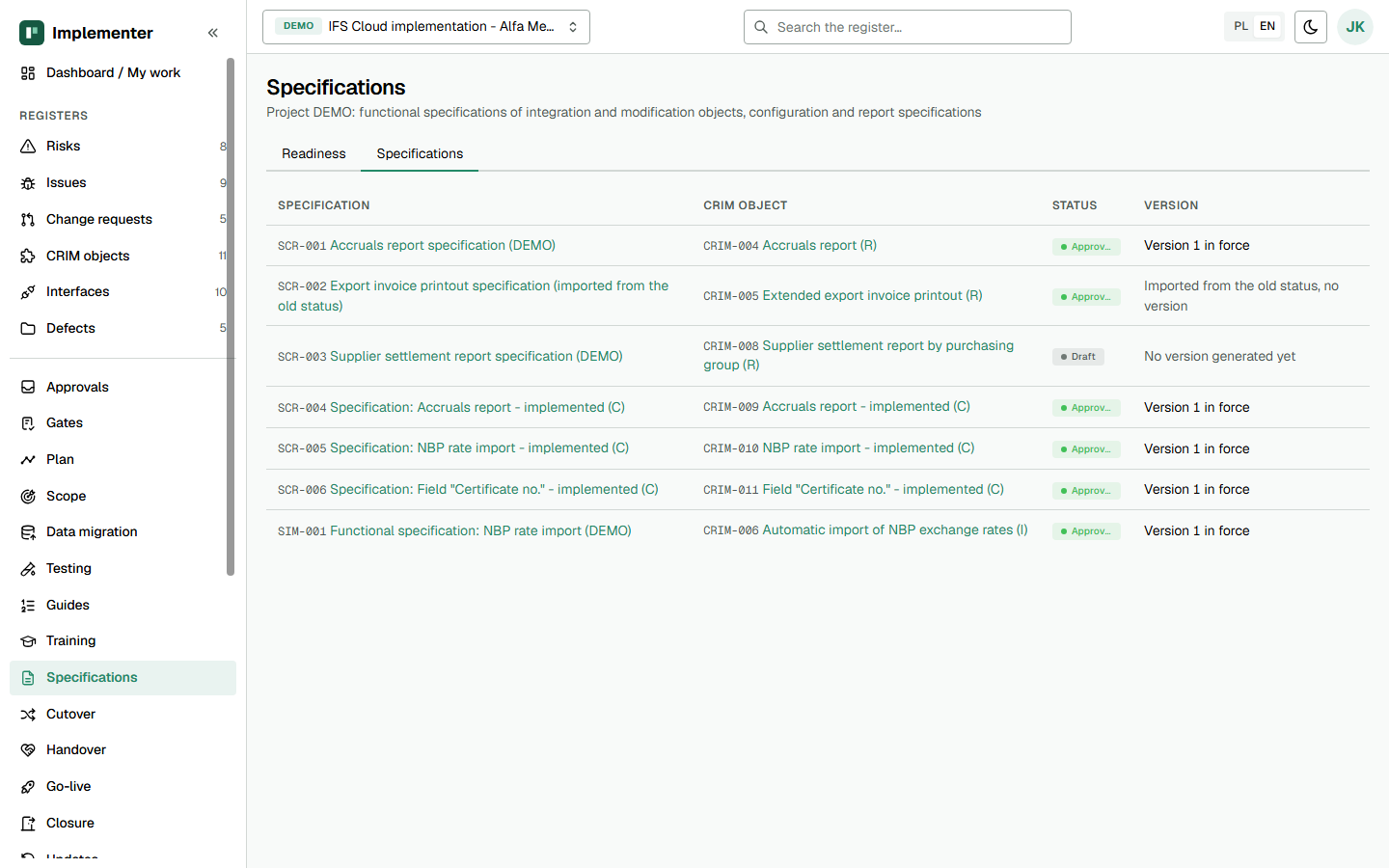
Specifications tab on demo data. Most rows are configuration and report specifications (SCR); one is imported from the old status and one is still a draft with no version.
How it maps to the template
| Template section | Implementer |
|---|---|
| Header, CRIM log ID, type | Key, CRIM object, CRIM type on the object |
| 1 Business need | Purpose; the need itself stays on the CRIM object |
| 2 Process context, 4 Required behaviour | Scope, Process flow, Requirements |
| 3 Current standard behaviour | Standard alternative on the CRIM object |
| 6 Data and projections | Data mapping rows, linked Interfaces |
| 7 Security | Security |
| 8 Error handling | Error handling rows |
| 9 Volumes and performance | Performance and volumes |
| 10 Test scenarios | Test cases rows |
| 11 Update impact | Update safety on the CRIM object |
| 14 Approval | Two-step approval on a version |
Gate and approval behaviour
The author cannot approve their own step. A decision is tied to the content hash of the version. If the content changed after the last version, Submit for approval is refused until you generate a new one. Two versions generated over unchanged data have the same hash.
Mark as specified on the CRIM object works only when its specification is approved. The message reads: "The specification must be approved before the CRIM object can be marked as specified." Reopening an approved specification does not move the CRIM object back.
The functional stage on the Readiness tab evidences item 1 of the Solution Established gate (specifications for integrations and modifications are approved). Blocking: an object without a specification and a specification without an approved version. Information only: an open revision, a stale version, a requirement no test case covers, and an integration object with no linked interface. A person still completes the gate item.
Not in the application yet
- Word files; the output is PDF.
- Comparison between versions.
- Check of IFS projection names against the system.
- A rule that a specification must be approved before the build starts.
- A commercial approval section in the specification; that reference is on the CRIM object.
Related
- Product page: Implementer: implementation support for IFS Cloud
- IDK-10 CRIM log
- IDK-12 Configuration and report specification
- Kit page: IDK-11 on ifs-erp.com
Independent product, not an official IFS document. IFS is a registered trademark of IFS.
