Blog

Mastering Distribution Orders in IFS Cloud: The Complete Guide to Multi-Site Logistics
  • IFS Cloud
  • IFS Cloud consultant
  • SCM
  • Multi-Site

A comprehensive deep dive into multi-site inventory movements, configuration strategies, and automated logistics flows.


TL;DR: Executive Summary

Distribution Orders (DO) are the backbone of internal supply chains in IFS Cloud, bridging the gap between two sites (Supply and Demand). Unlike simple inventory moves, DOs formalize the process by automatically generating a linked Customer Order (on the Supply Site) and Purchase Order (on the Demand Site).


  • Best For: Formal inter-site transfers requiring documentation (delivery notes, invoices) or cross-company moves.
  • Key Benefit: Full visibility of demand and supply on both sites instantly.
  • Automation: Can be triggered automatically by MRP, Master Scheduling, or DOP.
  • Prerequisite: Requires "Internal Supplier" and "Internal Customer" setup between sites.

What Problem Does This Solve?

In complex organizations with multiple geographically dispersed sites (e.g., a central manufacturing plant in Poland and distribution centers in Germany and France), moving stock is not as simple as physically transporting it. You face several challenges:

The Logistics Challenge

How do you ensure the receiving site knows what is coming and when? How does the shipping site reserve stock so it isn't sold to an external customer by mistake?

The Financial Challenge

If sites belong to different legal entities (companies), how do you handle the financial transaction? You need an inter-company invoice and a purchase match.

Distribution Orders solve these problems by wrapping a simple "move" request into a formal structure. They act as a container that spawns the necessary legal and logistical documents (CO and PO) while keeping the user interface simple for the planner. They ensure that Site A sees a firm demand and Site B sees a firm supply, synchronizing the entire supply chain.

1. The Core Concept of Distribution Orders

A Distribution Order in IFS Cloud is a specialized supply object used strictly for moving inventory parts between two sites. While it might seem similar to a Requisition or a Transport Task, it is significantly more powerful because it integrates the Procurement and Sales modules seamlessly.

When a planner at the Demand Site (e.g., a warehouse running low on stock) raises a need, they create a planned Distribution Order. At this stage, it is merely a signal—a "soft" request. However, once this order is Released, the system performs a massive orchestration task:

  • It checks the Internal Customer definition to see who the Demand Site "is" from the perspective of the Supply Site.
  • It checks the Internal Supplier definition to see who the Supply Site "is" from the perspective of the Demand Site.
  • It automatically creates a Customer Order (CO) on the Supply Site.
  • It automatically creates a Purchase Order (PO) on the Demand Site.
  • It hard-links these two orders together.

This "Triad" of records (DO, CO, PO) remains synchronized. If you change the quantity on the Distribution Order, the CO and PO update (subject to status restrictions). This eliminates the need for phone calls or emails between site planners to adjust quantities or dates.

2. Prerequisites and Configuration

Distribution Orders will not function "out of the box" without specific master data setup. This is often where implementations fail. The following hierarchy of data must exist:

Demand Site Requirements
  • Inventory Part: The part must exist in the inventory registry.
  • Purchase Part: Since this site is "buying" the goods (even internally), a Purchase Part record is required.
  • Supplier for Purchase Part: You must link the part to a Supplier. Crucially, this Supplier must be flagged as an "Internal Supplier" linking to the Supply Site.
Supply Site Requirements
  • Inventory Part: The part must exist and have stock (or a way to source it).
  • Sales Part: Since this site is "selling" the goods, a Sales Part record is required.
  • Internal Customer: The Demand Site must be defined as a Customer in this site, and that Customer record must be linked to the Demand Site ID.

The "Quick Registered Part" Feature

Setting up thousands of parts for distribution can be tedious. IFS Cloud includes a feature to ease this. If the Inventory Part exists on both sites, but the Purchase or Sales parts are missing, the system can attempt to create them automatically upon the release of the Distribution Order. These automatically created records are flagged as Quick Registered Parts. While helpful for testing or low-volume scenarios, it is best practice to fully configure your parts to ensure correct tax codes, delivery terms, and pricing are applied.

3. Sourcing and Automation

The true power of Distribution Orders lies in their ability to be generated automatically by planning engines. A planner rarely needs to manually enter a DO unless it is for an emergency spot-buy.

Material Requirements Planning (MRP)

When MRP runs on the Demand Site, it sees a shortage. It looks at the Supplier for Purchase Part record. If the primary supplier is an Internal Supplier and the Multi-site Planned Part checkbox is enabled, MRP will generate a Planned Distribution Order instead of a Purchase Requisition.

This is a critical distinction. A Purchase Requisition requires a conversion step to become a PO. A Planned Distribution Order is already one step closer to execution. It appears in the "Distribution Orders" window with a status of Planned.

Distribution Allocations

For "Push" scenarios (where a central warehouse wants to push stock out to branches regardless of their current demand), Distribution Allocations are used. You define a template (e.g., "Send 10% of stock to London, 20% to Paris"). When you execute this allocation, the system spawns multiple Distribution Orders.

Dynamic Order Processing (DOP)

In complex Make-to-Order environments, DOP uses Distribution Orders to move pegged material. If a Top Level Part is being built in Site A, but a sub-assembly is built in Site B, the DOP structure's "Capability Check" will generate a Distribution Order to move that sub-assembly. These orders are often released automatically to preserve the tight timeline of the DOP structure.

4. The Lifecycle and Execution Flow

Understanding the status flow is essential for troubleshooting.

Status Description Actions Available
Planned The need is identified. No logistics or financial documents exist yet. Can be deleted, changed freely. MRP can delete and recreate this.
Stopped The order tried to release but failed validation (e.g., missing part setup, credit block). Must be fixed manually via "Release Stopped Distribution Orders".
Released The "Point of No Return". CO and PO are created. Inventory on Supply Site is visible as "Demand". Reservations can be made. Pick Lists can be printed.
Reserved Stock on the Supply Site is hard-allocated to this order. Ready for picking.
In Transit Goods have left the Supply Site (delivered/shipped) but not yet arrived at Demand Site. Supply Site work is done. Demand Site awaits arrival.
Closed Goods received at Demand Site. Transaction is complete. History is preserved.

The "Stop" Mechanism

A unique feature of Distribution Orders is the Stopped status. Unlike a PO that might just fail to save, a DO will save itself but enter a "Stopped" state if it encounters errors during the auto-release process (common in MRP runs).

This often happens due to Coordinators. If a user manualy enters a DO, their coordinator ID is used. If MRP creates it, the system looks for a default coordinator on the Supplier record. If none is found, or if the resulting CO/PO fails validation (e.g., Customer is Credit Blocked), the DO stops.

Administrator Tip: Regularly check the "Release Stopped Distribution Orders" window. It is the "graveyard" of failed internal supply chain movements.

5. Strategic Advantages vs. Other Methods

Why use Distribution Orders instead of standard Purchase Orders or the newer "Shipment Orders"?

Instant Visibility. With a standard PO, the supplier (even if internal) has to manually enter a Customer Order to match it. Until they do, there is no visibility on the supply side. With a DO, the CO is created instantly and automatically. The supply site planner sees the demand immediately upon release.

Complexity & Finance. Shipment Orders are a lighter object designed for logistics-only moves (e.g., moving goods between two warehouses in the same company where no invoice is needed). They do not create a CO/PO. Distribution Orders are heavier but necessary for Inter-Company moves where a financial invoice is legally required. If you are moving goods between entities (e.g., Germany GmbH to France SAS), you must use Distribution Orders.

6. Advanced Configuration: Automatic Receipt

Efficiency is key. You can configure the system to Automatically Receive goods on the Demand Site the moment they are shipped from the Supply Site.

This is dangerous if physical transit time is long (e.g., sea freight), as your system will show stock available in the receiving warehouse while it is still on a boat. However, for "Virtual" moves or immediate transfers between adjacent buildings, this setting saves a massive amount of data entry.

To enable this, check the Automatic Receipt parameter on the Internal Supplier setup. When the Supply Site executes "Deliver Customer Order," the Demand Site's "Register Arrival" is performed instantly in the background.

7. Troubleshooting & Best Practices

The "Coordinator Group" Error:
A common error is "Coordinator not allowed for user". Distribution Orders rely heavily on Coordinator Groups to determine DO numbers and prefixes. Ensure every planner belongs to a valid Coordinator Group and that the default coordinators on your Supplier/Customer records are active users.

Re-Planning Flexibility:
Planned DOs are flexible. Released DOs are rigid. Establish a "Release Horizon" policy. For example, only release DOs that are due within the next 5 days. Leave the rest as "Planned". This allows MRP to delete and recreate them if the forecast changes, keeping your plan responsive. Once you release a DO, you "freeze" that decision.

Frequently Asked Questions

Yes. This is one of the main use cases. Because a DO creates a linked Customer Order and Purchase Order, it supports the full financial inter-company invoicing flow (sending an invoice from Supply Company and matching it in Demand Company).

Common reasons include:
  • Missing Purchase Part or Sales Part setup.
  • The Internal Customer is "Credit Blocked" on the Supply Site.
  • Missing Default Coordinator on the Supplier for Purchase Part.
  • Inventory Part does not exist on one of the sites.
Check the "Release Stopped Distribution Orders" window for the specific error message.

Yes. You can manually process the "Deliver" step on the Distribution Order line itself. However, using the Shipment functionality is recommended if you are consolidating multiple orders onto one truck or need formal shipping documents (Bill of Lading, Packing List).

"Release for Planning" is a status on the Customer Order side that allows the supply site to see the demand but prevents shipping. For Distribution Orders, we generally talk about the main "Planned" to "Released" transition. When a DO is released, the created CO is usually set to "Released" automatically, making it immediately actionable.

Absolutely. On the Demand Site, a Planned DO is a supply. On the Supply Site, a Released DO (via its CO) is a demand. Note that Planned DOs do not create visible demand on the Supply Site until they are released (unless you use specific MS/MRP inter-site visibility settings, but standard DO logic requires release for firm demand visibility).
 

Learn more about the logistics execution connected to these orders in this [Shipment Invoice functionality in IFS Cloud](https://www.youtube.com/watch?v=qlNzjwnmr6s) tutorial.

Implementing ISO 9001, 14001 & 45001 in IFS Cloud: A Technical Guide
  • IFS Cloud
  • Compliance
  • Digital Transformation
  • ISO
  • ISO 9001
  • QMS

Executive Summary (TL;DR)

For CIOs, IT Directors, and Quality Managers:

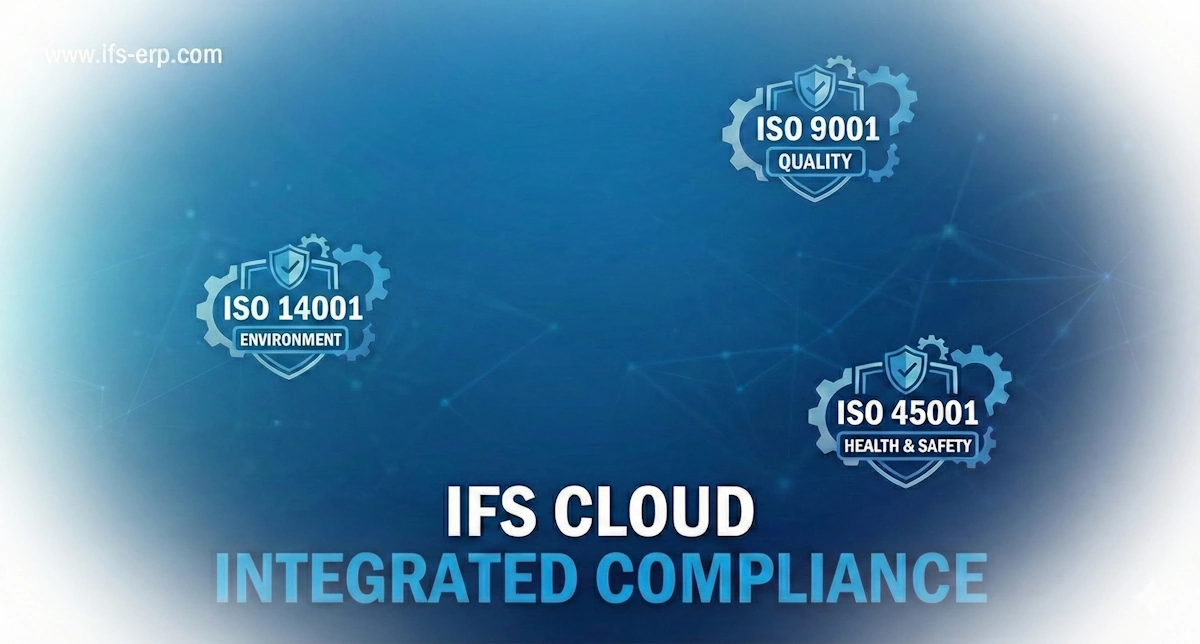
Transitioning to modern Cloud ERP environments like IFS Cloud™ presents a unique opportunity to dismantle the silos between your operational data and your compliance requirements. Traditionally, ISO 9001 (Quality), ISO 14001 (Environment), and ISO 45001 (Health & Safety) have been managed via disparate spreadsheets, third-party software, or physical paper trails. This fragmented approach increases risk, duplicates data entry, and fails to provide real-time insights.

This guide demonstrates how to utilize native ERP capabilities as a single, digital "Source of Truth" for your Integrated Management System (IMS). By embedding compliance controls directly into the ERP transactional flow—such as blocking a receipt from an unapproved vendor or preventing a work order assignment to an uncertified technician—you move from "compliance by inspection" to "compliance by design."


Core Takeaways:
  • Unified Data Model: A single audit trail links a customer complaint (ISO 9001) to a root cause analysis, or a chemical spill (ISO 14001) to the specific inventory batch and storage location.
  • Audit Velocity: Reduce external audit preparation time by up to 40% using "Lobby" dashboards that present real-time evidence to auditors without manual report compilation.
  • Active Risk Management: Replace static risk registers with dynamic controls. Use the system to physically stop processes (e.g., shipping, production) when compliance criteria are not met.

ISO 9001:2015 – Quality Management Systems

The standard for Quality Management is not just about product quality; it is about process consistency and customer satisfaction. Native ERP architecture covers this primarily through the Quality Management (QM) and Document Management (DocMan) modules.

Clause 7.5: Documented Information

ISO 9001 demands strict control over documents. In legacy systems, "Work Instructions" often drift out of sync with the actual process.

Implementation Strategy:

  • Integrated Document Management (IDM): Configure your Doc Class structure to separate Policies, SOPs, and Forms.
  • Access Control: Use "Access Templates" to ensure that Obsolete documents are automatically hidden from the "Shop Floor Workbench" users.
  • Visual Work Instructions: Attach media (PDFs, Videos) directly to the Routing Operation. When a shop floor operator opens a shop order operation, the latest approved instruction opens automatically.

Clause 8.4: Control of External Processes

You must ensure your suppliers meet your requirements. This goes beyond a one-time check.

Implementation Strategy:

  • Supplier for Purchase Part (SFPP): Configure "Inspection Codes" to force mandatory incoming inspections for new vendors.
  • Vendor Rating: Utilize the automatic Supplier Reliability calculation (delivery on time) and link it to quality stats.
  • Solution: Set up a "Lobby" element that flags any Purchase Order creation for a supplier with an expired ISO 9001 certificate (tracked in Supplier_Info_Address).

Addressing Clause 10.2: Non-conformity and Corrective Action

Do not manage NCRs in a separate "Quality" software. Use the integrated Non-Conformance Report (NCR) object. Configure the Corrective Action tab to be mandatory before the NCR status can move to "Closed". This enforces the "Check" and "Act" phases of the PDCA cycle directly in the transactional workflow.

ISO 14001:2015 – Environmental Management

This standard focuses on environmental performance and the "Lifecycle Perspective." Advanced ERP platforms support this via Eco-Footprint Management and Chemical Safety.

ISO Requirement Relevant Capability Implementation Strategy
6.1.2 Environmental Aspects Eco-Footprint Management Enable the Eco-Footprint component. Map emission factors (CO2, Water, Energy) to your Work Centers and Purchase Parts. This allows the system to calculate the environmental impact of a finished good based on its BOM and Routing, satisfying the "Lifecycle Perspective."
6.1.3 Compliance Obligations Document Management Gap Note: ERPs do not natively stream global regulations.
Action: Create a Document Class "REG" for your Legal Register (Permits, Laws). Set "Review Intervals" in DocMan to trigger reminders 90 days before a permit expires.
8.1 Operational Planning Maintenance (Asset Mgmt) Identify environmentally critical equipment (e.g., Scrubbers, Waste Water Treatment). Create Preventive Maintenance (PM) Actions with a specific "CRITICALITY" flag. Use IoT connectors to trigger a PM if a sensor detects an emission breach.
8.2 Emergency Preparedness Incident Management Configure Incident Class = "ENVIRONMENTAL". Train staff to log spills via the Mobile app immediately. This logs the time, location, and immediate containment actions, serving as vital evidence for auditors.

ISO 45001:2018 – Occupational Health & Safety

Preventing work-related injury is paramount. Robust ERP systems integrate OHS directly into Human Capital Management (HCM) and Work Orders.

Clause 7.2: Competence

"Ensure that workers are competent on the basis of appropriate education, training, or experience."

The "Hard Stop" Configuration

One of the most powerful features is the ability to link Qualifications to Resource Management to prevent uncertified work.

1

Define a "License" in HCM for high-risk tasks (e.g., "Forklift Operation", "Confined Space Entry").

2

Assign this License to the specific Employee Profile with a valid-to date.

3

Critical Step: In the Maintenance Scheduling Optimization (MSO) or Service Dispatch, enable the constraint that checks for valid licenses.

4

Result: The system will fail to assign a work order to a technician if their safety certification has expired. This is irrefutable evidence of compliance.

Clause 5.4: Consultation and Participation of Workers

ISO 45001 requires non-managerial workers to participate. Use the Survey module to send out monthly "Safety Culture" surveys to shop floor users. The results can be aggregated anonymously and displayed in a Safety Lobby, demonstrating active worker engagement.

Source Data Prerequisites

Your system is only as compliant as the data within it. Before you enter the "Construct" phase, ensure the following datasets are cleansed and ready.

Quality Data
  • Inspection Codes: Standardize your defect reasons (e.g., "Scratch", "Dimension", "Color").
  • Variable Data: Define min/max tolerances for all critical attributes.
  • Tool Calibration: List of all gauges, serial numbers, and last calibration dates.
Environmental
  • Emission Factors: CO2e per kWh, Water usage per hour per work center.
  • Waste Streams: List of EWC (European Waste Catalogue) codes you utilize.
  • Hazardous Materials: CAS numbers and REACH status for all raw materials.
Safety Data
  • Risk Library: Standard list of workplace hazards (Slip/Trip, Electrical, Noise).
  • PPE Matrix: Which Personal Protective Equipment is required for which Job Role?
  • Employee Certs: Scans of physical licenses and their expiry dates.

Frequently Asked Questions

Do we need to buy a separate QMS software package?
No. A robust ERP includes a fully embedded Quality Management System. Using third-party "bolt-on" software often leads to data silos where quality data (NCRs) is disconnected from inventory and production data. An integrated approach is superior for ISO 9001 compliance.
How can external auditors access our records?
We recommend configuring a restricted "Auditor" user role. This role should have "Read Only" access to specific Lobbies (Dashboards) and the Document Management system. This allows auditors to self-serve evidence without accessing sensitive commercial or HR salary data.
Can the ERP handle the 'Legal Register' for ISO 14001?
Core ERP systems are transactional systems, not legal content providers. While it cannot automatically "know" that a local environmental law has changed, you can manage the compliance tasks within it. We recommend subscribing to a legal update service and manually updating your "Legal Register" document, using "Review Tasks" to prompt periodic checks.
How do we handle 'Change Management' (ISO 9001 Clause 6.3)?
For product changes, use the Engineering Change Management (ECM) module. For process or organizational changes, many clients configure a "Change Request" case in the Call Center/Case Management module to track the approval, risk assessment, and implementation steps of a change project.
Is mobile capability required for ISO 45001?
While not strictly "required" by the standard, it is highly recommended for Incident Reporting. The easier you make it for workers to report "Near Misses" (via a mobile app on the shop floor), the more data you will capture, leading to better risk prevention and demonstrable "Worker Participation."
The True Cost of Customization in IFS Cloud | TCO & Strategy
  • IFS Cloud
  • IFS Cloud customization
  • API
  • Configuration
  • Development
  • Custom Fields
  • TCO
  • CRIM

A critical analysis of Total Cost of Ownership (TCO). Why the sticker price of development is only the tip of the iceberg in an Evergreen ERP environment.

Category: ERP Strategy Focus: TCO & ROI

The "Perfect Fit" Paradox

In the legacy ERP era, customizing the system to match business processes 1:1 was the standard. In the IFS Cloud era, this mindset is the single largest driver of inflated TCO. The cost of customization is no longer just about the initial development fee; it is about the "interest" you pay on that technical debt during every bi-annual release (25R1, 25R2, etc.).

Deconstructing the Price Tag

The financial impact of modifying IFS Cloud varies wildly based on complexity, but it typically falls into three distinct buckets. Understanding these allows you to predict your implementation budget more accurately.


1. Complexity & Scale

Low Cost: Simple configurations using Page Designer or Custom Fields.

High Cost: Developing entirely new logical units (LUs), complex integrations via Dell Boomi/REST APIs, or modifying core logic.

Impact: Exponential
 

2. Partner Selection

Hourly rates differ significantly between global System Integrators (SIs) and boutique consultancies. However, "cheaper" rates often lead to higher costs later if the code isn't optimized for the IFS Cloud update cadence.

Impact: Variable
 

3. Internal Resources

Often overlooked: The cost of your own team. Requirement gathering, User Acceptance Testing (UAT), and re-training your staff on custom workflows constitute a massive portion of the investment.

Impact: Hidden

Configuration vs. Development: A Cost Comparison

Method Examples Initial Cost Maintenance (TCO)
Configuration Page Designer layouts, Custom Fields, BPA (Business Process Automation), Lobbies. Low Very Low (Upgrade Safe)
CRIM (Modification) PL/SQL logic changes, New API endpoints, Custom Events modifying data. Medium Medium (Requires Regression Testing)
Full Customization Building new Modules, Heavy Integration layers, changing core architecture. High High (Risk of Upgrade Conflicts)

How to Manage Costs Effectively

IFS offers "Composable" capabilities to reduce the need for code.

To minimize TCO over a 5-year lifecycle, organizations must adopt a "Standard First" approach. Leverage the existing capabilities of IFS Cloud (Service Management, EAM, Manufacturing) before authorizing custom development.

  • Use BPA (Business Process Automation) instead of triggers.
  • Use Page Designer to hide complexity rather than rewriting forms.
  • Challenge every requirement: "Is this a business differentiator, or just a habit?"
Need a Modification Assessment?

Don't build technical debt. Let us validate your CRIMs.

Contact IFS-ERP.com

Frequently Asked Questions (FAQ)

Configuration uses built-in IFS tools (like Page Designer or Custom Fields) to adapt existing features. It is generally upgrade-safe and low cost. Customization (or Modification) involves writing new code to create functionality that does not exist. This is more expensive and requires maintenance during upgrades.

Yes. IFS Cloud releases updates twice a year (R1 and R2). If you have heavy customizations, you must validate (regression test) them against every new release to ensure they don't break. High customization levels increase the time and cost of these mandatory updates.

Costs are typically calculated by: (Estimated Developer Hours × Partner Hourly Rate) + Testing Time + Project Management. However, the true cost must also include the Lifecycle Maintenance cost (re-testing and fixing) over the next 5-7 years.

Often, yes. IFS Lobbies provide real-time dashboards that can replace static PDF reports. Lobbies are considered "Configuration" and are much cheaper to maintain than developing custom Crystal Reports or SQL Quick Reports.
  • Configuration
  • Customization
The "Workflow First" Philosophy
At IFS-ERP.com, we advocate for a "Workflow First" mindset. Before authorizing a developer to write custom code, the solution architect should always ask: Can this be achieved via Workflow?

Configuration vs. Customization

 
Implementation
Old Way: Requires Developer (C#/PLSQL)

New Way: Requires Functional Consultant
 
Visibility
Old Way: Hidden in code files

New Way: Visual Flowchart (BPMN)
 
Maintenance
Old Way: High (Code reviews, compile times)

New Way: Low (Adjust and Publish)
 
Upgrade Risk
Old Way: High (Breakage likely)

New Way: Low (Forward compatible)

When Customization Is Still Necessary

While Workflows are powerful, they are not a silver bullet. There are specific thresholds where configuration ends and "Extensibility" begins.
 
1. Deep System Integrations
For complex encrypted bank files or high-frequency machine interfaces, standard workflows may fall short.

Verdict: Use custom projections or integration middleware.
 
2. Performance-Heavy Logic
Looping through 50,000 records to perform a nightly calculation via workflow is significantly slower than PL/SQL.

Verdict: Use heavy server-side logic for bulk data processing.
 
3. Unique Complex Algorithms
If a business rule results in a BPMN "spaghetti diagram," it becomes impossible to maintain.

Verdict: Encapsulate the complex logic in code, and call it from a workflow.
Frequently Asked Questions

Optimizing for the Evergreen Era

Understanding the distinction between Configuration and Customization is vital for maintaining a healthy IFS Cloud environment.

Utilizing the native Workflow Engine ensures your business logic remains intact during bi-annual releases, reducing the "Technical Debt" that traditionally plagues ERP upgrades.

What is the difference between IFS Configuration and Customization?
Configuration uses native tools like the Workflow Manager to alter system behavior without code changes, ensuring upgrade safety. Customization involves modifying the core source code (PL/SQL, C#), which carries higher maintenance costs and upgrade risks.
Do I need a developer to create IFS Workflows?
No. IFS Workflows utilize BPMN (Business Process Modeling Notation), a visual low-code standard. This allows Functional Consultants and Business Analysts to design and implement complex processes visually, without writing traditional code.
Are IFS Workflows safe for upgrades (Evergreen)?
Yes. Workflows are stored as configuration data (XML models) separate from the core codebase. This makes them inherently "Evergreen" compliant, meaning they automatically migrate during IFS Cloud updates with minimal risk of breakage.
Can Workflows replace all customizations?
Not all. While they handle internal logic, data validation, and user interaction excellently, high-performance tasks (like bulk data processing) or complex external integrations (heavy bank files) are still better suited for specialized Customizations or IFS Connect.
Summary

IFS Workflows represent the maturation of the ERP landscape. They empower organizations to own their business processes without incurring the "technical debt" associated with traditional customization.

By adopting a "Workflow First" strategy, you adapt your ERP to your business, rather than adapting your business to your ERP.

An example of how IFS Cloud Workflows bridge the gap between user input and system automation without complex coding.
 
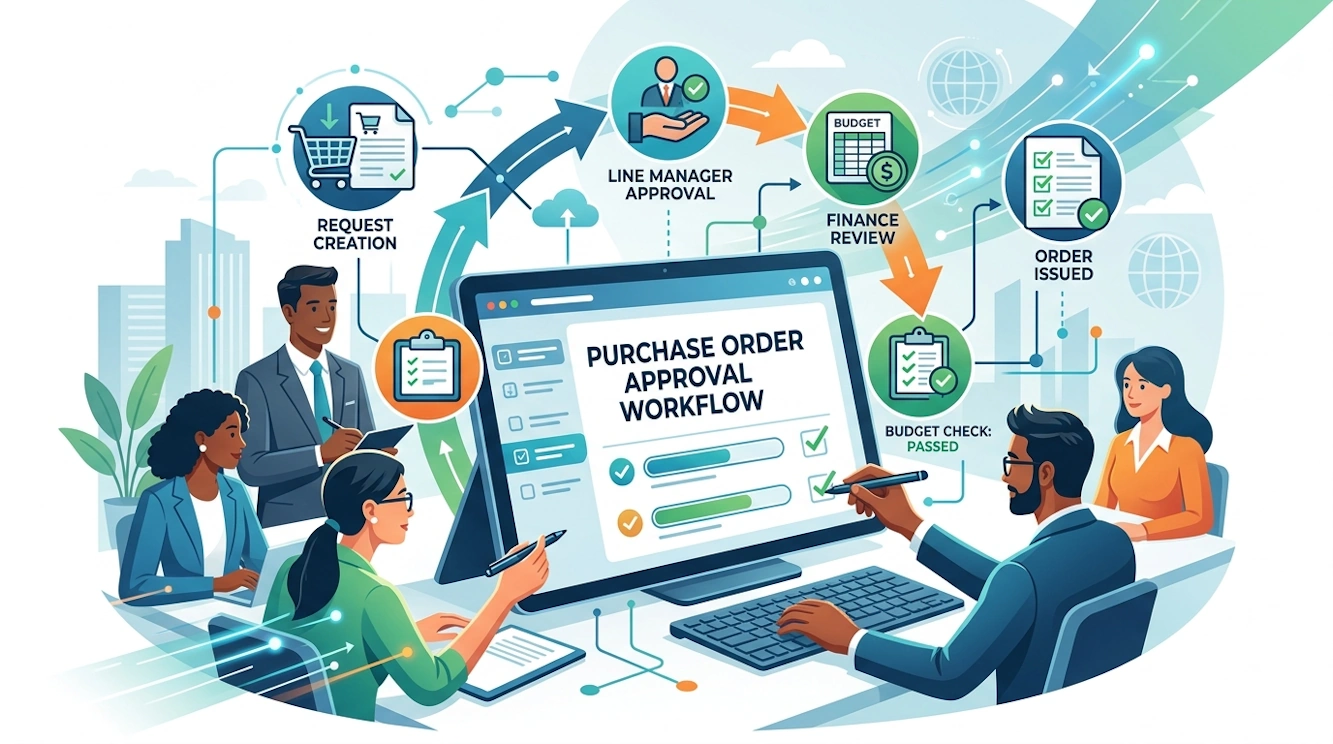
1. Draft & Enrich
User Action: Technician enters a PO.
Workflow: Intercepts the "Save" event to auto-fill the "Site ID" and "Department" based on the user's profile, reducing manual entry errors.
 
2. Budget Check
System Logic: The Workflow Engine evaluates the total amount.
Condition: If Total > $5,000, verify "Project Budget" availability. If exceeded, block the process with a custom error message.
 
3. Manager Review
BPA Task: A "User Form" pops up for the Approver.
Interaction: The Manager clicks "Approve" or "Reject" directly from the notification. No navigation to complex screens required.
 
4. Release & Send
Final Automation: Upon approval, the workflow automatically changes the status to "Released" and triggers the PDF generation to email the supplier.
The Golden Record in IFS Cloud: Ultimate MDM Guide
  • IFS Cloud
  • Golden Record
  • MDM
  • Data Stewardship

The Golden Record in IFS Cloud: Architecting Truth in Enterprise Data

How to transform fragmented information into a single, authoritative asset that drives automation, accurate reporting, and strategic decision making.

Table of Contents

  • 1. Introduction: The Cost of Chaos
  • 2. Defining the Golden Record in IFS Cloud
  • 3. The Architecture of Truth: How It Works
  • 4. Core Processes: Ingestion, Matching, and Survivorship
  • 5. The Business Impact: Why It Matters
  • 6. Implementation Guide: Building Your Golden Record
  • 7. Future Trends in MDM
  • 8. Frequently Asked Questions (FAQ)

1. Introduction: The Cost of Chaos

In the modern enterprise, data is rarely scarce. It is overwhelming. Organizations utilizing robust ERP systems like IFS Cloud generate massive volumes of data daily. However, volume does not equal value. The true challenge lies in validity.

Consider a manufacturing scenario. The sales department knows a customer as "Acme Corp" located in London. The logistics team sees "Acme Corporation Ltd" with a shipping address in Manchester. The finance team bills "Acme Intl" in New York. Who is right? Without a unified strategy, they all are, and yet none of them are.

This fragmentation creates data silos. These silos are not merely an IT nuisance. They are operational hazards that bleed revenue through missed cross-selling opportunities, shipping errors, and compliance failures. The solution to this fragmentation is not just better software but a fundamental shift in how we treat data entities. The solution is the Golden Record.

2. Defining the Golden Record in IFS Cloud

A "Golden Record" in the context of IFS Cloud Master Data Management (MDM) is the definitive, authoritative, and trusted version of a key business entity. It represents the "Single Source of Truth."

It is not necessarily a single row in a database that has existed forever. Rather, it is a composite view created by consolidating, cleansing, and merging data from multiple sources. These sources might include the IFS Cloud Core, external CRM systems like Salesforce, legacy databases, or third-party data providers like Dun & Bradstreet.

Key Characteristics

  • Authoritative: It overrides conflicting data from subordinate systems.
  • Composite: It may pull a phone number from CRM and a credit limit from Finance.
  • Persistent: It maintains a unique identifier (UUID) that survives system updates.
  • Governed: It is actively managed by data stewards and automated rules.

3. The Architecture of Truth: How It Works

Creating a Golden Record within the IFS ecosystem requires a sophisticated architecture that sits between your data sources and your data consumers. In IFS Cloud, this is often managed through the native Master Data Management capabilities or via integration with specialized MDM hubs linked through IFS Connect or Boomi.

The Sources (The Input)

Data enters the ecosystem from various "Local" sources. These are the systems of entry where users interact daily. In IFS Cloud, this could be the Supply Chain module, while a separate HR system feeds employee data. Each source contributes fragments of the truth.

The MDM Hub (The Processor)

This is the engine room. Data is standardized here. "St." becomes "Street" and formatting is aligned. This central hub holds the rules for matching and merging. It is where the Golden Record is minted and stored.

The Subscribers (The Output)

Once the Golden Record is established, it must be syndicated back to the operational systems. IFS Cloud consumes this record to ensure that when an invoice is generated, it uses the Golden address, not a fragmented local copy.

4. Core Processes: The Lifecycle of a Golden Record

The creation of a Golden Record is not a one-time event. It is a continuous lifecycle. Understanding the mechanics of this lifecycle is critical for IFS consultants and business stakeholders alike.

Phase 1: Ingestion and Standardization

Data is ingested from source systems. Before any matching can occur, the data must be standardized. This involves parsing fields to ensure consistency. For example, phone numbers are formatted to E.164 standards, and country codes are aligned to ISO values. Without standardization, matching algorithms fail.

Phase 2: Matching (Identity Resolution)

This is the heart of MDM. The system asks a critical question: "Are these two records actually the same person or company?"

Matching relies on two main approaches:

  • Deterministic Matching: Exact matches on unique identifiers like Tax IDs, Email Addresses, or DUNS numbers. If the Tax ID matches, it is the same entity.
  • Probabilistic (Fuzzy) Matching: This uses algorithms to calculate a likelihood score. If the name matches 90% and the address matches 80%, the system assigns a "Match Score." If the score exceeds a defined threshold, the records are linked as a candidate pair.

Phase 3: Merging and Survivorship

Once matches are identified, the system must decide which data points to keep. This is determined by Survivorship Rules. These rules dictate the hierarchy of trust.

Rule Type Description Example
Recency Prioritize the most recently updated data. "Use the address updated yesterday over the one from last year."
Source System Trust Trust specific systems for specific data domains. "Always trust CRM for phone numbers, but trust Finance for credit limits."
Completeness Prioritize the record with the most populated fields. "Keep the record that includes the postal code."
Frequency Select the value that appears most often across sources. "If 3 out of 4 systems say the name is 'Acme', use 'Acme'."

Phase 4: Data Stewardship

Not all matches are clear. Some fall into a "grey area" where the match score is ambiguous. These exceptions are routed to a Data Steward. A Data Steward is a human expert who manually reviews the conflict within the IFS interface and makes the final decision to merge or separate the records.

5. The Business Impact: Why It Matters in IFS Cloud

Implementing a Golden Record strategy is an investment. Why should an organization undertake this effort? The return on investment is realized through specific operational improvements.

Unified 360-Degree View

When you look at a customer in IFS Cloud, you see their entire history. Sales, support tickets, invoices, and projects are linked to one entity. This enables better customer service and targeted marketing.

Operational Efficiency

Duplicate records slow down processes. Warehouse staff waste time figuring out which "Vendor A" to receive goods against. A Golden Record streamlines these workflows, reducing manual intervention.

Accurate Analytics

Reporting is only as good as the underlying data. If you have five records for one supplier, your spend analysis will be fragmented. Golden Records ensure that Business Intelligence (BI) dashboards reflect reality.

Compliance and Risk Management

Regulatory frameworks like GDPR require you to know exactly what data you hold on an individual. If that data is scattered across duplicates, compliance is impossible. A Golden Record simplifies the "Right to be Forgotten" and data portability.

6. Implementation Guide: Building Your Golden Record

Deploying this in IFS Cloud involves a structured approach. Follow these steps to ensure success.

01 Profile Your Data
Before fixing data, you must understand it. Use data profiling tools to analyze the quality of your current records. Identify common errors, duplication rates, and empty fields.

02 Define Governance Rules
Gather stakeholders from Finance, Sales, and Operations. Agree on what constitutes a "Golden" record. Decide which systems are trusted for which data attributes.

03 Configure Survivorship Logic
Program these rules into your MDM solution. Start with simple rules (e.g., Recency) and evolve to complex logic as you learn how the data behaves.

04 Initial Load and Cleanse
Run your initial batch process. This will likely generate a large number of stewardship tasks. This initial hump is normal. Clear the backlog to establish your baseline.

05 Enable Real-Time Synchronization
Once the baseline is set, switch to real-time. As new records enter IFS Cloud or connected apps, they should be instantly checked against the Golden Record to prevent new duplicates from forming.

7. Future Trends: AI and the Golden Record

The future of MDM in IFS Cloud is intelligent. Generative AI and Machine Learning are beginning to play a massive role in Golden Record management.

Auto-Classification: AI can look at unstructured data (like emails or PDFs) and automatically extract attributes to enrich the Golden Record.

Predictive Matching: Machine Learning models can learn from the decisions made by human Data Stewards. Over time, the AI learns that "IBM" and "Intl Business Machines" are the same, reducing the need for manual review.

8. Frequently Asked Questions (FAQ)

What is the difference between a Golden Record and a Data Warehouse?

A Data Warehouse is designed for analytics and reporting, often storing historical data. A Golden Record is an operational asset used for real-time transaction processing and master data management. The Golden Record feeds the Data Warehouse.

Does IFS Cloud have built-in MDM capabilities?

Yes, IFS Cloud offers native capabilities for managing master data, including data migration tools and entity management. For complex, multi-system environments, it pairs effectively with dedicated MDM solutions via IFS Connect.

What happens if the Golden Record is wrong?

If a Golden Record is incorrect, the error propagates to all subscribing systems. This is why Data Stewardship and "Unmerge" capabilities are essential features. You must be able to revert a merge if it was done in error.

How often should Golden Records be updated?

Ideally, updates should happen in near real-time. As soon as a source system captures a change (e.g., a customer moves), the MDM hub should process this update and refresh the Golden Record.

Ready to Trust Your Data?

Data fragmentation is a choice. Choose clarity. Our team of IFS Cloud experts can help you design a Master Data Management strategy that builds a robust Golden Record foundation.

Start Your MDM Journey
The Process Honesty Check: A Data-First Approach to IFS Cloud Implementation
Implementation Strategy & Methodology

Data-First Implementation Strategy

"ERP doesn't fix broken processes; it exposes them."

Category: Digital Transformation | Methodology

This maxim is the reality for every Project Manager and CIO approaching a Go-Live. When you migrate to a modern, integrated platform like IFS Cloud, you are not just upgrading software; you are turning on a massive spotlight.

Every inconsistent workflow, every "tribal" workaround, and every gap in your master data will suddenly become visible and operational. To ensure this exposure leads to optimization rather than paralysis, organizations must adopt a Data-First Implementation Strategy.

The Solution Blueprint

1. Scoping: Define the "Active" Reality

The Trap

Migrating 15 years of historical data "just in case" ensures that obsolete parts and inactive suppliers clog up your search results.

The Fix

Strict Data Segregation. Use the IFS Data Migration Manager to profile your source data early. Define strict rules for "Active" data (e.g., 24-month activity) to reduce system noise.

2. Sanitation: The Pre-Migration Cleanse

The Trap

"We will clean the data after we load it into IFS Cloud." This delay pushes critical process decisions into the high-risk UAT phase.

The Fix

Source-Level Standardization. Data gaps are process gaps in disguise. Force the business to fill missing IDs and terms before extraction occurs.

3. Alignment: Harmonizing Process with Logic

The Trap

Customizing IFS Cloud to mimic legacy bad habits or relying on "Tribal Knowledge" (e.g., "Bob knows to check the label manually").

The Fix

Adopt Standard IFS Logic. Map tribal knowledge to IFS Basic Data. Convert informal human dependencies into robust system configurations.

4. Validation: The "Mock" Reality Check

The Trap

Testing with "Perfect" hand-picked sample data. This proves the software works, but fails to prove the business can actually run.

The Fix

Iterative Full-Volume Loads. Test with the messy reality of actual volume. Run E2E flows on migrated data to identify tax code or posting mismatches early.

5. Discipline: The Cutover Mindset

Treating Go-Live as the finish line is a mistake. When the system goes live, the "Spotlight" is permanent. Establish a Master Data Management (MDM) board to prevent process entropy from returning.

Frequently Asked Questions

Why shouldn't we migrate all historical data to IFS Cloud?

Migrating deep history (e.g., 10 years of closed orders) clutters the production environment, slows down system performance, and complicates future upgrades. The best practice is to migrate "Open Balances" (active data) and archive historical data in a low-cost Data Lake or BI repository.

What is the biggest risk during data migration?

The biggest risk is "Data Validation Latency"—finding out data is bad only after it has been loaded. If a Part Class is missing, the system may block thousands of transactions at once. This is why pre-migration cleansing in the source system is critical.

Should we customize IFS Cloud to match our old process?

Generally, no. Your old process was likely designed around the limitations of your old system. It is almost always better to adapt your business process to the standard logic of IFS Cloud ("Adopt vs. Adapt") to lower long-term maintenance costs and ensure seamless "Evergreen" updates.

Skonsolidowane wysyłki w IFS Cloud: Jak zredukować koszty logistyki dzięki automatyzacji?
  • IFS Cloud
  • Shipment
  • Consolidated Shipment
  • Customer Order
  • Handling Unit
Logistics Optimization

Consolidated Shipments in IFS Cloud

Stop shipping air. Combine multiple orders into a single logistics unit to reduce freight costs and simplify documentation.


In high-volume distribution, treating every Customer Order as a separate shipment is a recipe for inefficiency. IFS Cloud’s Consolidated Shipment functionality allows you to decouple the "Sales" transaction from the "Logistics" execution, merging multiple orders into a single physical dispatch.

The Logic: Decoupling Sales from Shipping

Traditionally, 1 Order equals 1 Delivery. With Consolidated Shipments, the hierarchy changes. You gather multiple orders going to the same delivery address and process them as a single work package.

The Operational Workflow

1
Connect to Shipment

Instead of releasing an order to "Pick," you connect multiple Customer Order Lines to a single Shipment ID.

2
Consolidated Pick

The warehouse receives a single Pick List (aggregated by location) rather than five separate lists for five orders.

3
Pack into Structure

Using Handling Units (HUs), you pack items from different orders onto the same Pallet (Parent HU).

4
Single Dispatch

You execute the "Complete" command once. This triggers the printing of one Bill of Lading (BoL) and one Consolidated Delivery Note.

Handling Units: The Enabler

Consolidation is impossible to manage effectively without Handling Units. In IFS Cloud, HUs allow you to define the physical structure (e.g., Box A and Box B go onto Pallet X).

Pro Tip: Use "Automatic Packing" rules in IFS to let the system propose how to pack consolidated items based on volume and weight constraints.

Why Consolidate?

  • Lower Freight Costs: Pay for one LTL shipment instead of 5 small parcels.
  • Less Paperwork: Single Bill of Lading and CMR.
  • Dock Efficiency: One truck, one loading time.
Configuration Check

Before starting, ensure:

  • Shipment Management enabled in Site settings.
  • Handling Unit Types defined (Pallet, Euro-Pallet, Box).
  • "Shipment Creation" set to Optional or Automatic on Customer record.

Consolidation FAQs

Generally, a Shipment in IFS Cloud is tied to a single delivery address (one customer). To group goods for different customers onto one truck, you should use the "Consolidated Load" (Load Management) functionality, which sits a layer above the Shipment.

You have a choice. You can either print a separate Delivery Note for each Customer Order contained in the shipment, or configure a Consolidated Delivery Note that lists all items from all orders on a single document.

Yes, as long as the Shipment Status is not yet "Completed" or "Closed." You can connect a new order line, pick it, and add it to the existing Handling Unit structure before final dispatch.
  1. How to Define Procurement Clause Phrases
  2. The Pallet in the Corner
  3. The Silent Killers of IFS Cloud Data Migration
  4. New Purchasing Functionality in IFS Cloud 25R2

Page 9 of 10

  • 1
  • 2
  • 3
  • 4
  • 5
  • 6
  • 7
  • 8
  • 9
  • 10
We Value Your Privacy

We use cookies to enhance your experience and for traffic analysis. By continuing to visit this site you agree to our use of cookies.

Privacy Policy

Google Tag Manager Items