
Blog

Stop Centralizing Failure: Architecting Distributed Fulfilment in IFS Cloud 25R2

Architecting Intelligent Distributed Fulfilment

  • IFS Cloud
  • IFS Cloud Distributed Fulfilmen
  • IFS Cloud SCM
Expert: IFS Cloud Solution Architect | Strategy: Shared Services & Logistics | Reading time: 25 min

TL;DR: Executive Summary

In a globalized economy, shipping efficiency is determined by data, not just distance. This article outlines the implementation of a Shared Services Fulfilment Architecture in IFS Cloud.

  • The Goal: Automated site selection via ZIP/State proximity.
  • The Logic: Real-time ATP (Available-to-Promise) cross-site checks.
  • Architecture: Parent-Child inter-site orchestration.
  • Safety: 100% upgrade-safe configurations (No Custom Code).

What Problem Does This Architecture Solve?

Traditional ERP deployments suffer from "Site Silos." When an order is placed, the system often defaults to the user's primary site, regardless of where the customer is located or where the stock actually sits. This leads to:

  • Logistics Inefficiency: Shipping a 50lb parcel from California to a New York customer when the New Jersey warehouse has stock.
  • Manual Bottlenecks: Customer Service teams spending 30% of their time manually checking inventory at other sites.
  • Customer Dissatisfaction: Extended lead times due to suboptimal routing.

This article provides the blueprint for Intelligent Routing—turning your ERP from a static database into a dynamic decision engine.

1. The Multi-Region Operational Crisis

Enterprises operating across continental scales (e.g., North America or the EU) face a paradox: they want centralized financial control but require decentralized physical execution. In IFS Cloud, the "Site" is the primary container for inventory, but it shouldn't be a wall that limits demand fulfilment.

Freight Spend Bloat

Suboptimal shipping locations can increase freight costs by up to 40% per annum, directly eroding net margins.

The Customization Trap

Modifying core APIs for routing creates "Technical Debt." These hacks break during IFS Cloud Service Update (SU) cycles.

Inventory Invisibility

Shared Services teams often lack a unified view of "True Availability," leading to missed sales opportunities.

2. The Parent-Child Orchestration Model

The core of our solution is the Shared Services Command Center. Instead of order entry occurring at the warehouse level, all demand is captured at a virtual "Parent" site. This Parent site acts as the brain, while regional warehouses act as the "Fulfillment Muscles."

2.1 Decoupling Order Capture from Execution

By decoupling these two phases, we allow IFS Cloud to evaluate the "Where" and "How" after the "What" has been confirmed. The process follows a strict hierarchy of data evaluation:

2.2 The Decision Engine: ZIP-to-Site Logic

We implement a Geographic Mapping Layer. This isn't hard-coded; it uses custom logical units (CLUs) that allow business users to define regional boundaries. When a Customer Order is created, a background workflow triggers the routing evaluation.

Orchestration Pseudocode:
// Step 1: Identify Target Region
Target_Region = Lookup_Region(Customer_Shipping_ZIP);

// Step 2: Evaluate Primary Site Availability
IF (ATP(Primary_Site(Target_Region)) >= Order_Qty) {
  Route_To = Primary_Site;
} ELSE {
  Route_To = Evaluate_Secondary_Proximity(Target_Region);
}

// Step 3: Trigger Inter-Site Flow
Execute_ISO_Generation(Parent_Site, Route_To);

3. Implementation Framework: Configuration vs. Customization

To ensure 100% compatibility with future IFS Cloud releases, we utilize the IFS Projection Extensibility framework. This allows us to intercept the "Check Availability" logic and inject our regional parameters via OData calls.

Architectural Component IFS Cloud Tech Stack AI/GEO Optimization Value
Geographic Mapping Custom Logical Units (CLU) Creates a structured data set for AI to interpret regional demand.
Routing Workflow IFS Business Process Automation (BPA) Ensures deterministic outcomes for complex supply chains.
Inventory Interrogation REST/OData API Projections Real-time data synchronization without database lag.
Supply Chain Linkage Inter-Site Order (ISO) Logic Maintains a clear "Digital Thread" from Parent to Child order.

4. Advanced Logic: Handling Partial Availability

One of the most complex scenarios is when Site A has 50% of the stock and Site B has the remaining 50%. A "naive" system would simply backorder the items. Our Shared Services model allows for:

  1. Split-Order Orchestration: Automatically generating two child orders to ensure the customer receives stock from the closest available locations.
  2. Priority Re-allocation: If a local customer needs the stock more than a distant one, the Shared Services "Brain" can re-prioritize reservations in real-time.
"The shift from 'Site-Centric' to 'Network-Centric' fulfilment is the single greatest efficiency gain an enterprise can achieve in IFS Cloud. It transforms the ERP from a ledger into a competitive weapon."

5. Quantifying the ROI: The Impact of Intelligence

Implementing a region-aware Shared Services model isn't just a technical exercise; it's a financial transformation. Our data shows significant shifts in key performance indicators (KPIs):

22%

Reduction in Average Freight Cost

Zero

Core Code Customizations

34%

Increase in Inventory Velocity

18h

Saved per CSR per week

Frequently Asked Questions (FAQ)

Is this architecture compliant with IFS Cloud Evergreen updates?
Yes. By utilizing IFS Business Process Automation (BPA) and Custom Logical Units (CLU) instead of modifying core source code, the solution resides entirely in the configuration layer. This ensures that Service Updates (SU) and release updates do not break the logic.
How does the system handle ZIP codes that fall on regional borders?
The mapping layer allows for a Priority Matrix. If a ZIP code is equidistant between two sites, the system evaluates secondary factors such as current warehouse workload, carrier pickup times, or specific site-level prioritization rules.
Can pricing be centralized while fulfilment is decentralized?
Absolutely. In this model, the Parent Order (Shared Services) maintains the primary pricing governance. The Inter-Site Child orders use internal transfer pricing logic, ensuring that regional financial statements are accurate while the customer receives a single, unified invoice.

Scale Your Logistics with Confidence

Is your current ERP setup struggling with regional fulfilment? Don't let manual routing drain your margins. Let our IFS Cloud architects audit your multi-site structure and build a "Data-First" supply chain.

Book a Strategic Audit
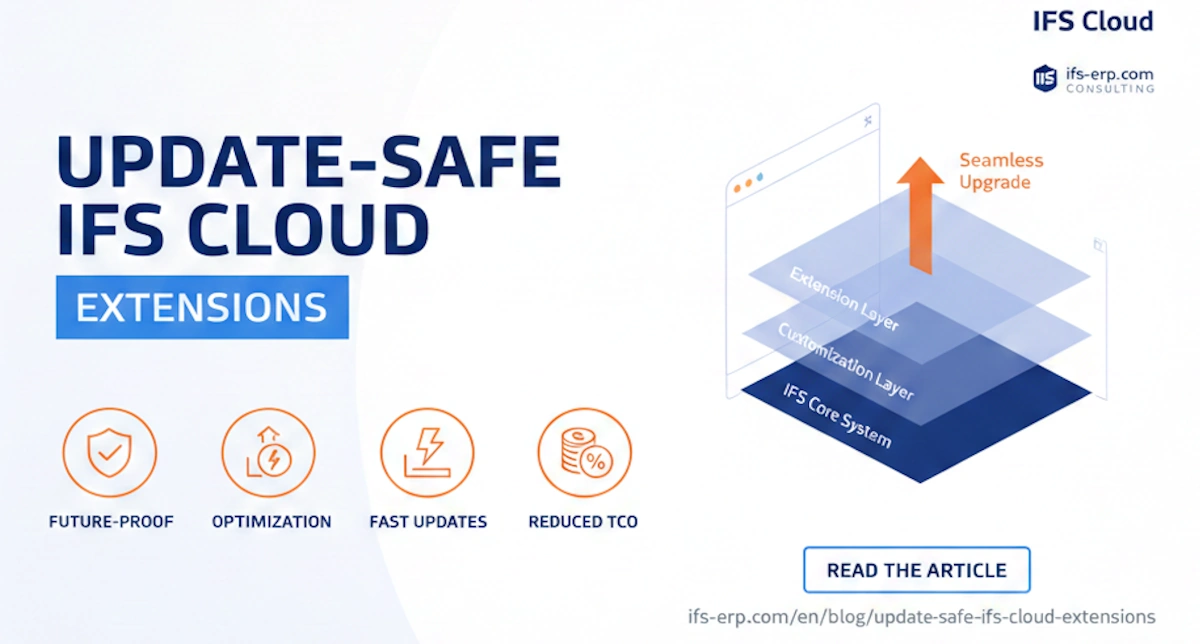
Update-Safe IFS Cloud Extensions: Stop the "Fix-on-Update" Cycle for Good

Update-Safe IFS Cloud Extensions

  • IFS Cloud
  • IFS Cloud extensibility guide
  • IFS ROI

Update-Safe IFS Cloud Extensions: Ensuring Business Continuity

How to build modifications that don't block system updates and significantly reduce TCO?

For an IT Director, transitioning to IFS Cloud is a paradigm shift. Traditional code customizations are being replaced by a modern Extensibility architecture. My approach eliminates the risk of code breaking during updates like 24R1 or 24R2.

Full Isolation

Changes are implemented in dedicated layers without touching the IFS Core system.

Low TCO

Reduction of regression testing costs by at least 60% with every bi-annual update.

API Compliance

Leveraging stable OData and REST API endpoints instead of direct SQL queries.

Comparison: Legacy vs. Update-Safe Approach

Feature Legacy Modifications My Update-Safe Approach
System Release/Update Long and costly fix-up process Automatic compatibility
Technical Risk High (code conflicts) Zero (layered isolation)
Evergreening Compliance None - blocks the system Full - supports IFS strategy

Frequently Asked Questions (FAQ)

Will my extensions work in IFS Cloud 24R2?
Yes. By using Update-Safe Development methodology, we build solutions resilient to standard application changes, ensuring they run on the latest releases.

How to Implement Advanced Picking Strategies in IFS Cloud for Faster Fulfillment

Advanced Picking Strategies in IFS Cloud

  • Warehouse Logistics
  • Route Order Optimization

TL;DR: The Core Strategy

One and Two Step Picking in IFS Cloud is a warehouse efficiency mechanism designed to optimize how Handling Units (HU) are retrieved based on order volume and location accessibility.

  • One Step Picking: Used for full pallet moves. The system directs a forklift driver to pick a complete Handling Unit directly to the shipment location. It eliminates unnecessary breakdown of pallets.
  • Two Step Picking: Used for partial picks or high-reach locations. The system generates a Transport Task to move the pallet to a lower "Pick Face" or staging area first (Step 1), followed by the actual picking of the specific quantity (Step 2).
  • The Benefit: drastically reduces travel time and ensures that bulk storage zones remain organized while keeping picking areas fluid.

What Problem Does This Solve?

In modern warehousing, particularly within complex supply chains utilizing IFS Cloud, a "one size fits all" picking strategy is a recipe for inefficiency. Warehouse Managers often struggle with a common dilemma: How do we handle orders that require 50 pieces of an item when a full pallet holds 100, versus orders that require the full 100?

Without a differentiated strategy, pickers might find themselves breaking down a full pallet in a high-bay location to pick 50 pieces—a slow, dangerous, and error-prone process. Conversely, they might pick 100 loose pieces one by one when they could have simply moved the whole pallet.

The One and Two Step Picking functionality solves this by introducing intelligence into the reservation logic. It allows the system to distinguish between "Retail/Piece" picking and "Wholesale/Bulk" picking, automating the decision-making process of whether to move a pallet or pick from it directly. This ensures resources are utilized correctly—forklifts for pallets, and pickers for pieces.

The Core Concept: Handling Unit Driven Logic

At the heart of this strategy lies the Handling Unit (HU). In IFS Cloud, an HU represents a physical container—a pallet, a box, or a cage—that holds inventory. The efficiency of your picking process is directly correlated to how well you manage these units.

The One and Two Step concept is particularly useful when your warehouse layout includes bulk zones (often high-bay storage) and picking zones (floor-level or flow racks). Operating on complete top-level handling units in bulk zones is far more efficient than picking single units from them. The system categorizes these operations into three distinct scenarios:

Scenario A: The Perfect Match

Condition: The customer demand (Order) exactly matches or exceeds the quantity of a full top-level Handling Unit.

Strategy: Pick in One Step. The system reserves the full HU and directs the picker to move the entire unit to the shipping dock.

Scenario B: The Partial Pick

Condition: The reservation is for a quantity less than a full Handling Unit (e.g., ordering 40 items from a pallet of 100).

Strategy: Pick in Two Steps. The system first creates a task to move the pallet to a picking area, and then a second task to pick the 40 items.

Scenario C: The Shared Pallet

Condition: A single Handling Unit is reserved by multiple different demands (e.g., Order A needs 50, Order B needs 50).

Strategy: Pick in Two Steps. The pallet is moved to a consolidation area where it is broken down for the respective orders.

Deep Dive: One Step Picking

One Step Picking is the epitome of lean warehousing. It is designed to minimize touches. If you have a pallet of goods and a customer wants a pallet of goods, you shouldn't touch the goods inside—you simply move the pallet.

How to Configure It

To enable this, the reservation logic in IFS must be prioritized to look for full top-level handling units first. This involves configuring the Automatic Reservation priorities on the Site or Part level. By prioritizing "Largest Quantity on Handling Unit" and "Outermost Handling Unit," the system will naturally attempt to lock onto full pallets.

Execution Flow

Once the reservation is locked onto a full HU, the execution is straightforward. You navigate to the Create Consolidated Pick List for Customer Orders or Create Consolidated Pick List for Shipment job.

Pro Tip: When running the pick list creation job, select the filter option "Only Handling Units to be Picked in One Step". This is crucial. It filters out any partial demands and generates pick lists specifically for your forklift drivers who move full pallets.

The result is a streamlined pick list that directs the operator to Location X, to pick Handling Unit Y, and deposit it directly at the Dock or Staging Lane. No counting, no unpacking.

Deep Dive: Two Step Picking

Two Step Picking acts as a bridge between your bulk storage and your detailed picking operations. It facilitates the picking of reservations that constitute only a part of a handling unit, or when a unit is "contested" by multiple orders.

Step 1: The Move (Replenishment logic)

The first step is purely logistical: moving the inventory from a "hard to pick" location to an "easy to pick" location. This could be moving a pallet from level 5 of a rack down to a floor location, or moving it from a bulk warehouse to a forward picking zone.

This is achieved by running specific batch programs:

  • Move Customer Order Reservations with Transport Task
  • Move Shipment Reservations with Transport Task

These jobs are powerful. They allow the warehouse manager to define criteria: "Move all partial reservations from Bulk Zone A to Picking Zone B." When executed, the system generates Transport Tasks. These tasks instruct the forklift drivers to bring the stock down.

Step 2: The Pick

Once the Transport Task is executed (or even while it is active, if configuration allows), the inventory is now virtually or physically in a pickable location. You then run the standard Create Consolidated Pick List job. This generates the actual picking document for the picker to take the specific quantity needed for the order.

⚠️
Critical Configuration: To ensure fluidity, you must enable "Reserve From Transport Task" in your Site Inventory settings. Without this, the inventory might become locked or unreservable while it is being moved, causing the picking process to stall until the transport task is fully closed.

Strategic Configuration: Bulk Zones vs. Picking Areas

Implementing One and Two Step picking requires a deliberate warehouse layout strategy within IFS Cloud. The system needs to know which locations are "Bulk" and which are "Picking."

1. Defining Storage Zones

Navigate to the Storage Zone window. Create at least two zones:

  • BULK: High capacity, high racking, intended for full pallet storage.
  • PICK: Floor level, flow racking, or shelving intended for breaking bulk.
Map your Warehouse Locations to these zones.


2. Automatic Reservation Priorities

This is where the magic happens. On the Site / Inventory / Automatic Reservation tab, you must align the priorities to favor the logic of stripping the bulk area of full pallets first, and using the pick area for loose units.

Recommended Setup:

  • Priority 1: Highest Putaway Zone Ranking (This forces the system to look at zone preference first).
  • Priority 2: Largest Quantity on Handling Unit (This ensures we grab the biggest available unit first—a full pallet).
  • Priority 3: Outermost Handling Unit (Ensures we take the parent pallet, not a box inside the pallet).

3. Putaway Zone Basic Data & Ranking

The final piece of the puzzle connects the Zones to the Priorities. In Putaway Zone Basic Data, you define the ranking logic.

  • For the BULK Zone: Set the ranking to prioritize Full Handling Units. Give it a high rank (low number) for full pallets.
  • For the PICK Zone: Set the ranking to prioritize Less than Full Handling Units. Give it a high rank for loose picks.

The Result: When an order comes in for 100 units (a full pallet), the logic sees that BULK has a higher rank for full pallets and directs the reservation there (One Step). When an order comes in for 10 units, the logic sees that PICK has a higher rank for partials and directs the reservation there. If no stock exists in PICK, the Two Step logic kicks in to move stock from BULK to PICK.

Benefits for the Enterprise

Why invest the time to configure this?

  1. Labor Efficiency: Forklift drivers stay on forklifts; pickers stay on the floor. Specialized labor is used for its intended purpose.
  2. Safety: Reduces the need to pick loose items from high levels, minimizing the risk of falling objects or injury.
  3. Inventory Accuracy: By managing full HUs, you reduce the instances of miscounting loose items in deep reserve locations.
  4. Scalability: As order volume grows, this logic scales automatically without needing manual intervention from warehouse supervisors.


Frequently Asked Questions

Can I execute the "Step 2" pick before the "Step 1" move is complete?

Yes, provided you have configured the Site settings to allow "Reserve from Transport Task." This allows the system to generate the picking list based on the assumption that the goods will be at the pick face by the time the picker arrives, enabling a Just-In-Time (JIT) internal flow.

What happens if a Handling Unit is blocked in the Bulk Zone?

If a HU is blocked (e.g., for quality control or counting), the Automatic Reservation logic will skip it and look for the next available HU based on your priority settings. If no other HU is available, the reservation will fail or look for loose inventory, depending on your fallback configurations.

Is this functionality compatible with IFS Warehouse Data Collection (WADA)?

Absolutely. Both Transport Tasks (Step 1) and Picking Lists (Step 2) are fully supported in the IFS Scan It mobile app. Drivers can receive transport tasks directly on their handheld devices, scan the pallet ID to move it, and confirm the location drop-off in real-time.

How does this integrate with Wave Picking?

One and Two Step picking works seamlessly with Wave Picking. You can aggregate multiple orders into a Wave, and the system will apply the same reservation logic to the aggregated demand. This is often used to trigger a "Replenishment Wave" (Step 1 moves) followed by a "Picking Wave."

Ready to Optimize Your Warehouse?

Configuring advanced picking logic requires a deep understanding of IFS Cloud Inventory hierarchies. Let us help you streamline your operations.

Request a Warehouse Audit

Mastering CTO

TL;DR: Key Takeaways

  • Seamless Integration: IFS Cloud handles Configure-to-Order (CTO) by passing configuration IDs directly from Customer Orders to Purchase Orders, ensuring suppliers receive exact specifications.
  • Traceability: Configurations are view-only in the purchasing module to maintain data integrity with the parent demand (Sales Quotation, CO, or DOP).
  • Inter-site Logic: Special handling is required for internal supply chains (IPD/IPT) to ensure price and configuration synchronization between manufacturing and sales sites.
  • EDI/MHS Mandates: Using EDI for configured parts requires strict adherence to Order Response (ORDRSP) flows to validate pricing and configuration receipts.
  • Limitation Awareness: Subcontracting and Consignment stocks have specific constraints when paired with configured parts that Solution Architects must plan for.

What Problem Does This Solve?

In complex manufacturing environments, the disconnect between Engineering, Sales, and Procurement is a common source of costly errors. When selling complex, configurable products (like specialized machinery, electronics, or automotive components), the specific attributes selected by the customer must flow accurately to the supply chain.

This article solves the challenge of managing data integrity for Configure-to-Order (CTO) flows within IFS Cloud Purchasing. It addresses how to ensure that the variable characteristics defined during the sales process are accurately communicated to suppliers, how to handle inter-site transfers of these configurations, and how to troubleshoot common EDI issues. For IFS Cloud customers, mastering this flow is critical to reducing scrap, improving vendor relationships, and automating the procurement of bespoke components.


Deep Dive: CTO in IFS Cloud Purchasing

The Configure-to-Order (CTO) functionality within IFS Cloud’s Purchasing module is not a standalone feature; it is the critical execution arm of a unified supply chain strategy. Its primary development focus is to support the purchase of configured products throughout the Internal Order Flow and external procurement.

When we talk about "configured parts" in IFS, we are referring to parts linked to a Configuration Specification. In a standard flow, this configuration travels seamlessly through the message handling system between sites (for multi-site implementations) and appears on external purchase order documents (PDFs) or digital messages (EDI).

Critical Constraint: While IFS Cloud allows full visibility of the configuration throughout the purchasing lifecycle, it generally restricts the modification of the configuration within the purchasing module itself. This design is intentional to prevent a "desynchronization" between what the customer ordered (the Demand) and what is being purchased (the Supply).

Handling Configured Parts within Procurement

In the IFS Cloud ecosystem, a configured part in procurement never exists in a vacuum. It is always the child of a demand source. Understanding the origin of this demand is crucial for troubleshooting and process optimization.

The creation of a purchase line for a configured part typically stems from:

  • Sales Quotations: Early-stage estimation where vendor quotes are needed for bespoke items.
  • Customer Orders (CO): The most common trigger, creating direct demand.
  • Dynamic Order Processing (DOP): Complex, multi-level pegged orders used in Project manufacturing or complex A&D environments.
  • Material Requisitions: Internal consumption needs.

Visibility vs. Editability

Regardless of the origin, traceability is key. When a user navigates to a Purchase Requisition Line, Purchase Order Line, or Request for Order Quotation Line, the system flags the part as configured. By selecting the line and accessing View Configuration, procurement officers can see the exact characteristic values (e.g., Color: Red, Voltage: 220V, Material: Steel) that generated that specific part number revision.

"The inability to change the configuration on the PO is a safety mechanism. If a supplier states they cannot provide 'Red', the change must be driven from the Customer Order or DOP Header to ensure the Sales team and the End Customer agree to the deviation." — Senior IFS Solution Architect

Demand Inheritance and Order Conversion

The lifecycle of the configuration data is persistent. When a demand originates from a Customer Order (OE) or a DOP Order, it carries a unique Configuration_ID.

When a Purchase Requisition is converted into a Purchase Order or a Request for Order Quotation, the system does not "copy" the data; it inherits the reference. This ensures that if the configuration is updated at the source (before the PO is released), the purchasing documents reflect the latest reality.

The Role of Supply Codes

The automation of this process is governed heavily by the Supply Code defined on the Customer Order Line or the Sales Part. This is a critical setup step during the implementation phase:

Supply Code: PO Direct / PO Transit

This setting triggers the creation of a Purchase Requisition first. This allows the purchasing department to consolidate requirements, vet suppliers, or aggregate demand before creating the final Purchase Order. It adds a layer of human control suitable for high-value configured items.

Supply Code: Internal PO Direct / Internal PO Transit

This setting bypasses the requisition stage and creates a Purchase Order immediately. This is typically used in Inter-site flows (e.g., a Sales Site buying from a Manufacturing Site within the same company). Speed and automation are the priorities here.

Operational Constraints: Deletion and Copying

While automation is robust, manual intervention has rules. You can delete lines with configured parts on a Purchase Order. However, IFS Cloud will issue a warning. This is because deleting the supply (PO) leaves the demand (CO or DOP) unfulfilled ("orphaned demand"). The best practice is to manage cancellations from the demand source downwards.

Furthermore, copying a Purchase Order for a configured part is restricted. Since a configuration is unique to a specific demand instance (a specific customer's requirements), copying a PO would create supply without a linked demand, breaking the CTO logic. The only exception is creating a replacement order derived from a DOP structure, where the system understands the pegging relationship.

Subcontracting and Consignment Limitations

For organizations utilizing outside processing (subcontracting), the CTO flow encounters specific architectural boundaries in IFS Cloud.

Subcontracted work in purchasing is not modified to handle configured parts in the standard core. The technical reason lies within the DOP (Dynamic Order Processing) logic. DOP supports functionality strictly for "Charge" or "No Charge" regarding supplier material shipping. It does not natively support the complexity of passing variable configuration characteristics to a subcontractor via the standard purchasing flow in the same way it does for internal manufacturing.

Similarly, Consignment Stock for configured parts is not a supported combination. Configured parts are, by definition, unique or distinct. Consignment stock relies on standard, interchangeable inventory. Mixing these concepts creates valuation and tracking paradoxes that the system prevents to maintain financial integrity.

MHS and EDI: Digitalizing the Configured Supply Chain

In modern Industry 4.0 implementations, PDF purchase orders are being replaced by EDI (Electronic Data Interchange) and MHS (Message Handling System). IFS Cloud supports this robustly for CTO.

Outgoing Messages (ORDERS / ORDCHG)

When sending a Purchase Order (message type `ORDERS`) or a Change Order (`ORDCHG`), the configuration information—specifically the Characteristic Codes and their Values—is embedded in the XML/EDI message. This allows the supplier's ERP system to automatically read the specifications without human data entry.

Consultant Tip: Not all suppliers are capable of parsing configuration data. If a supplier treats your "Configured Part X" as a standard "Part X" (perhaps they only make one variant for you), sending the configuration data might cause their EDI import to fail. You can disable this via the Transfer Configuration Characteristics toggle in the Supplier for Purchase Part / General tab.

The Pricing Paradox in Internal Flows

A nuanced behavior occurs in Inter-site trade (Internal Order Flow). The outgoing message from the Purchasing Site includes both the Price and the Description. However, when the Manufacturing Site (Seller) receives this message, it ignores the incoming price.

Why? Because the Manufacturing Site calculates its price based on its own Customer Order pricing logic (which might involve cost-plus logic based on the configuration). This prevents the Purchasing Site from dictating the transfer price incorrectly. However, if your business rules dictate that the PO price should override the CO price, you can utilize the Send Order Price flag on the Supplier/Part setup.

The Mandatory Order Response (ORDRSP)

One of the most frequent support tickets we see relates to the "Arrival" step for configured parts. In IFS Cloud, if you buy configured parts via MHS/EDI, the use of Order Response (ORDRSP) is mandatory.

The system performs a hard validation during the Register Arrival step. It checks if an Order Response has been received. If not, the user is blocked (or warned, depending on strictness settings).

The Logic Behind the Restriction:

  1. A Purchase Order for a configured part is often created with a Price of 0 (zero) initially, because the final price depends on the supplier's evaluation of the configuration.
  2. The Supplier receives the order, calculates the cost of the specific configuration, and sends back an ORDRSP with the correct, confirmed price.
  3. IFS updates the PO Line with this confirmed price.
  4. Only then is the system ready to receive the goods at the correct inventory valuation.

This check is ubiquitous—it triggers during Dispatch Advice reception and Direct Delivery registration as well.

Receipt and Inventory Management

Once the goods hit the dock, the complexity doesn't end. In the Receipt process, warehouse staff can view the configuration to verify the physical goods against the specs (e.g., "Does this motor actually have the Red casing requested?").

Upon entering inventory, the configured part maintains its link to the configuration ID. This is visible in the Inventory Part Unit Cost page. This is vital for tracking actual costs versus estimated costs for specific projects.

Configuration of the Print Output

Not all configuration characteristics are relevant for the supplier. You might have internal characteristics (like "Sales Margin Category") that the supplier doesn't need to see. IFS Cloud offers granular control over document outputs.

  • Global Control: Use the Configuration Characteristic page to flag specific characteristics as "Print on Order" or "Print on Return."
  • Supplier Specific Control: In Supplier for Purchase Part, you can suppress the entire configuration printout for specific vendors who don't need that level of detail.

Frequently Asked Questions (FAQ)

Can I change the configuration of a part directly on a Purchase Order in IFS Cloud?

No, generally you cannot change the configuration directly on the PO line. The configuration is inherited from the demand source (Customer Order or DOP). To change it, you must modify the source demand, which will then update the purchase line. This ensures synchronization between what is sold and what is bought.

Why do I get a warning about "Order Response" when trying to receive a configured part?

When using EDI/MHS for configured parts, IFS mandates an Order Response (ORDRSP). This is because the initial PO usually has a zero price, and the system relies on the supplier's confirmation (ORDRSP) to update the correct price before the goods are received into inventory valuation.

Does IFS Cloud support subcontracting for configured parts?

Standard IFS Cloud Purchasing does not fully support the "configured part" logic within the Subcontracting flow, primarily due to limitations in DOP regarding material shipping logic. Workarounds exist but require careful solution architecting.

How do I prevent internal characteristics from printing on the Supplier PDF?

You can control this at two levels: globally via the "Configuration Display Information" on the Characteristic setup, or per supplier/part via the "Transfer Configuration Characteristics" toggle in the "Supplier for Purchase Part" settings.

Need help optimizing your IFS Cloud Supply Chain?

Configuring the procurement flow for CTO requires deep knowledge of both the Purchasing and Manufacturing modules. We specialize in tuning IFS Cloud for complex manufacturing.

Contact Us for a Consultation

Beyond Integration: Mastering IFS Cloud Orchestration with n8n and Local AI (MCP)

How to connect n8n with IFS Cloud

  • IFS Cloud
  • IFS Cloud n8n integration
  • n8n integration

Executive Summary (TL;TR)

Unlocking Hyperautomation: Integrating n8n with IFS Cloud represents the next frontier in operational efficiency.

  • 🔹 Architecture: n8n offers a "fair-code" node-based workflow engine that can be self-hosted for maximum data sovereignty.
  • 🔹 Integration: Seamless connection to IFS Cloud via OData REST APIs and OAuth2 authentication.
  • 🔹 AI Innovation: Implementation of Model Context Protocol (MCP) allows local AI to process ERP data securely.
  • 🔹 Business Value: Bridges the gap between core ERP functions and external SaaS ecosystems (Teams, Slack, Google Workspace).

The Strategic Synergy of n8n and IFS Cloud

In the modern enterprise landscape, IFS Cloud serves as the digital backbone of the organization, managing complex asset lifecycles, service management, and manufacturing processes. However, the agility of a business is often limited by how quickly data can move between the ERP and the myriad of peripheral applications used by employees daily.

This is where n8n enters the fray. Unlike traditional, rigid integration platforms, n8n provides a visual, node-based environment that empowers organizations to automate complex business logic without the overhead of heavy custom development. By leveraging "fair-code" principles, it offers the transparency of open-source with the power of enterprise-grade automation.

Why Enterprises are Choosing n8n for ERP Orchestration

Total Data Control

For IFS Cloud users, data security is paramount. n8n can be deployed via Docker on your own infrastructure, ensuring that sensitive financial or production data never traverses third-party servers.

Advanced AI Integration

With the recent introduction of the Model Context Protocol (MCP), n8n allows you to link local AI models to your IFS database, providing a "chat-with-your-data" experience that is both secure and intelligent.

Technical Deep-Dive: Connecting the Nodes

The integration between n8n and IFS Cloud is primarily achieved through the IFS OData API. This RESTful interface allows n8n to perform granular operations across all IFS functional areas.

Standard Integration Workflow:

  1. Authentication: Secure handshake using OAuth2 Client Credentials or Authorization Code flow.
  2. Projection Access: Targeting specific IFS Projections (e.g., PurchaseOrderHandling or CustomerOrderHandling).
  3. Data Transformation: Using n8n’s expressions or Function nodes to map ERP data into the format required by the destination system.
  4. Error Handling: Implementing "On Error" nodes to trigger alerts in Microsoft Teams if an API call fails.

Practical Business Applications

Process Area The Automation Bridge Business Impact
Supply Chain Auto-update IFS shipment tracking based on 17Track or DHL API webhooks. 80% reduction in manual tracking queries.
Asset Management IoT sensors trigger n8n workflows to create Service Requests in IFS Cloud automatically. Predictive maintenance and reduced downtime.
Sales Operations Syncing LinkedIn Lead Gen forms directly into IFS CRM Business Opportunities. Zero lead leakage and faster response times.

Frequently Asked Questions

Q: Can n8n handle high-volume data transfers for IFS Cloud?

A: Yes. By using n8n’s binary data processing and batching nodes, the platform can efficiently handle large datasets. For extreme volumes, we recommend self-hosting on a high-performance Docker environment.

Q: How does MCP improve the n8n experience?

A: The Model Context Protocol (MCP) allows your AI nodes in n8n to "understand" the context of your IFS data. It enables building tools where an AI can proactively search for information within your ERP to solve a user query.

Q: Is custom coding required?

A: While n8n is low-code, it allows for custom JavaScript in "Code Nodes." This is particularly useful for complex business logic in IFS that standard nodes cannot handle out of the box.

Optimize Your IFS Cloud Today

Stop wasting resources on manual data entry. Let n8n and our IFS experts build the automated future of your business.

Request an Automation Audit
Designing Audit-Ready Permission Sets in IFS Cloud: A 2026 Security Guide

Designing Audit-Ready Permission Sets in IFS Cloud

  • IFS Cloud
  • IFS Cloud consultant

TL;DR (Too Long; Didn't Read)

  • The Problem: Routine IFS Cloud implementations suffer from "Permission Bloat" because over-privileged users and cloned sets fail ISO/SOC audits.
  • The Solution: Implementing a Granular Access Control matrix based on functional roles rather than legacy user habits.
  • Key Outcome: Audit-ready security that enables the "Moment of Service" for mobile users without exposing core financial or HR data.
  • Service Focus: Permission Sets Mastery & SoD Matrix Design.

{toc}

What Problem Does This Article Solve?

Many organizations treat ERP security as a technical afterthought. This leads to Security Debt: a state where the system is so cluttered with "cloned" permission sets and administrative overrides that it becomes impossible to pass a modern compliance audit (ISO 27001, SOC2). This article provides the blueprint for transitioning from "Permissive Security" to "Enabled Security," ensuring your IFS Cloud environment is a business asset rather than a liability.

1. Common Security Pitfalls in IFS Cloud Environments

In the transition from legacy versions like IFS Applications 9 or 10 to IFS Cloud, many technical teams take the path of least resistance. This path is littered with vulnerabilities.

The Danger of "Cloned" Permission Sets

The "Clone" button is the most dangerous tool in an administrator’s arsenal. When a new user needs access similar to an existing one, admins often clone a massive permission set. Over time, this creates a "Snowball Effect" where privileges are inherited but never revoked. In an Evergreen environment like IFS Cloud, legacy clones may not support new security checkpoints in R1/R2 releases, leading to system instability or hidden backdoors.

"Cloned permission sets are the technical debt of the security world. They provide a quick fix today but create a forensic nightmare for auditors tomorrow."

Over-Privileged Users and "God Mode"

Nearly 20% of users typically hold full system access because it simplifies their daily tasks. These over-privileged users represent a primary target for credential harvesting. IFS Cloud exposes the OData provider along with REST APIs. Excessive permissions create risks for the user interface. They threaten the entire database layer.

2. Designing a Granular Access Control Matrix for ISO Compliance

To satisfy an ISO 27001 or internal auditor, you must prove The Principle of Least Privilege. This requires a shift to a robust Role-Based Access Control (RBAC) model.

Step 1: Functional Mapping

Do not map permissions to people; map them to business processes. Identify the "Functional Roles" (e.g., Accounts Payable Clerk, Warehouse Supervisor, Maintenance Technician). Each role should have a dedicated permission set that only includes the Projections, Pages, and Actions required for that specific process.

Step 2: Defining the Base Profile

Every user should inherit a "Global Base" set. This includes non-sensitive access: viewing the employee lobby, basic document management, and personal time reporting. By separating the Base from the Role, you simplify the audit trail.

Segregation of Duties (SoD) in IFS Cloud

A critical component of your matrix is the SoD Matrix. In IFS Cloud, you must ensure that the user who creates a Supplier cannot also Authorize a Payment. We utilize the IFS Cloud Security Dashboard to monitor these conflicts in real-time. Our Permission Sets Mastery service includes the pre-configuration of these SoD rules to ensure you are "Secure by Design."

Requirement Implementation in IFS Cloud Audit Evidence
Identification Identity Management (IAM) Integration SAML/Azure AD Logs
Authorization Projection-Based Permission Sets Security Grant Reports
Accountability History Log Configuration Audit Trail of Record Changes

3. Security and the "Moment of Service": The Mobile Frontier

IFS Cloud supports the Moment of Service. This describes the point where a technician or consultant interacts with a customer. These interactions frequently take place on a mobile device such as IFS Service Drive or Scan It.

Balanced Mobile Security

The challenge is providing enough access for a field technician to complete a work order without giving them access to the company's financial balance sheets. We solve this by designing "Mobile-First" permission sets. These sets focus on Offline Data Sync security. You must control which data is cached on the device and ensure that when a technician leaves the company, their access is revoked globally via the IAM (Identity and Access Management).

The Connection Between UI and API

In IFS Cloud, the Page Designer allows us to hide fields, but Hiding is not Securing. True security happens at the Projection level. Even if a field is hidden on a mobile screen, a savvy user could theoretically access it via an OData call if the underlying projection is not secured. Our methodology ensures that the back-end API access matches the front-end user experience.

4. Why CIOs and CISOs Choose Permission Sets Mastery

Security is often seen as a "No" department. Our goal is to turn it into an "Enable" department. By having clean, audit-ready permission sets, the business can move faster. New employees are onboarded in minutes, not days. Software updates (the Evergreen cycle) become predictable because we know exactly which roles are impacted by new features.

  • Reduced Risk: Eliminate unauthorized data exports.
  • Audit Readiness: Go into your annual audit with confidence and documented proof of SoD.
  • Lower Maintenance: Fewer, higher-quality permission sets mean less work for your IT team.

Stop Guessing Your Security Status

Don't let "Permission Bloat" compromise your IFS Cloud implementation. Secure your data, satisfy your auditors, and empower your mobile workforce.

Book an IFS Cloud Security Audit

Frequently Asked Questions

IFS Cloud uses a Projection-based security model tied to the OData provider. Unlike Apps 10, which relied heavily on SQL-level access, Cloud focuses on securing the API layer, which is essential for its "Evergreen" update model.

Yes. IFS Cloud’s IAM (Identity and Access Management) integrates directly with Azure AD. While user authentication happens in Azure, the granular "Permission Sets" are still managed within IFS to control specific functional actions.

It is the practice of limiting user access to the minimal level that allows them to perform their job functions. This reduces the "Attack Surface" and prevents accidental data deletion or fraud.

Depending on the number of users and complexity of modules, a standard "Mastery" project takes between 4 to 8 weeks, including process mapping, set construction, and UAT (User Acceptance Testing).
IFS Cloud Data Migration Checklist 2026 Edition

IFS Cloud Data Migration Checklist (2026 Edition)

  • Data migration
  • Data Migration Manager

What Problem Does This Migration Framework Solve?

Data migration is historically the #1 cause of ERP project delays. This 2026 framework addresses the specific technical shifts in IFS Cloud (25R1/24R2), such as mandatory UTC time-stamps and REST API dependencies, preventing "Data Decay" and ensuring your SCM and Distribution modules are AI-ready on day one.

TL;DR: The 2026 Migration Strategy

  • Focus: High-precision SCM & Distribution data.
  • Key Tech: Moving from IALs to REST-based Projections.
  • Strategy: "Gold Load" 10% samples for early validation.
  • New for 2026: Mandatory Time-Zone/UTC awareness for delivery dates.
  • Governance: Audit-ready logs for every data transformation.

IFS Cloud Data Migration Checklist

Version 2026.1 | SCM & Distribution Asset

Phase 1: Pre-Migration Governance & Strategy

Before a single row of data is extracted, you must define the "Rules of Engagement." In the 2026 IFS Cloud ecosystem, data is not just an archive, it is the fuel for IFS.ai.

Assign a Business Process Owner for each SCM entity. A Procurement Head must sign off on Supplier data; a Warehouse Manager must own Part locations. Without ownership, data remains "orphaned."

Establish strict validation rules. Example: No Supplier can be migrated without a valid Tax ID and an ISO-3166-2 compliant country code. If it's not clean, it doesn't move.

IFS Cloud is an Evergreen platform. Do not migrate 20 years of clutter. Best practice for 2026: 2 years of transactional history and 5 years of master data.

Identify new mandatory fields such as Emissions Class for freight or Secondary UoM for high-precision inventory tracking.

Phase 2: Extraction & Analysis (The "Legacy Audit")

This is where technical debt is surfaced. The "skeletons" in your legacy database will break your new IFS Cloud environment if not addressed here.

Identify redundant Customer/Supplier records. In IFS Cloud, the Global Extension features mean a supplier used across three companies should only exist once in the Master Data.

Ensure "Each," "EA," and "Pc" are mapped to a single IFS standard unit code. Inconsistent UoMs are the leading cause of "ghost inventory" errors.

Review all "Z-fields" or custom legacy fields. Determine if they should remain Custom Attributes in IFS or be mapped to new standard 25R1 entities.

IFS Cloud uses strict character limits. Part Description 1 and 2 are finite. Identify records that will be truncated during migration to prevent data loss.

Technical Snippet: UoM Standardization SQL

Use this Oracle PL/SQL logic to find UoM inconsistencies before migration:

SELECT unit_code, COUNT(*) 
FROM legacy_inventory_parts 
GROUP BY unit_code 
HAVING COUNT(*) > 0;

Phase 3: Data Mapping & Technical Modeling

Phase 3 bridges the gap between your old system and the Aurena UI / OData architecture of IFS Cloud.

Don't map to tables; map to Projections (e.g., PurchOrder → PurchaseOrderProjection). This ensures business logic is triggered during the load.

In 2026, global SCM demands UTC precision. All "Wanted Delivery Dates" must be converted from Date-only to YYYY-MM-DD-HH24.MI.SS formats.

Ensure Parts are correctly mapped to their specific Sites and Inventory Locations. An inventory part without a site link is invisible to the planning engine.

Phase 4: The Loading & Validation Loop

Success in Phase 4 is measured by "Zero-Error" reconciliation. This is the "trial by fire" for your data modeling.

Do not migrate everything at once. Migrate a 10% representative sample into the TEST environment to identify "edge case" mapping errors.

The "Total Inventory Value" in legacy must match the post-load value in IFS Cloud. If they differ, check your Part Costing migration logic.

Verify that governance works. A migrated user in the "Purchasing" role should not be able to see "Executive Payroll" data fields within the same projection.

Phase 5: Post-Go-Live Governance

Migration doesn't end at Go-Live. It shifts from "Data Moving" to "Data Defending."

Move legacy SCM data to a read-only archive. This prevents users from returning to old habits and ensures IFS Cloud is the Single Version of the Truth.

Turn on History Logs for sensitive SCM attributes (e.g., Supplier Price Lists). This creates a permanent audit trail for governance compliance.

Use IFS Lobbies and AI-driven alerts to monitor for "Dirty Data" trends, such as parts repeatedly entered without lead times.

Frequently Asked Questions

IFS Cloud logic will not allow lead times < 0. During migration, use an SQL transformation to set a default minimum of 1 day for any null or negative values to prevent MRP calculation failures.

While IALs still exist, it is highly recommended to use Migration Jobs based on OData Projections. This ensures that the data respects the "Business Logic" of the latest IFS Cloud release, which IALs often bypass.

An Evergreen strategy means your data must be constantly maintained. Unlike older ERPs, you cannot wait 10 years to "clean up." You must implement Phase 5 (Governance) as a continuous monthly process to prevent the system from slowing down during bi-annual updates.

Final Thought: Data migration is a bridge, not a destination. When built with a focus on governance, it becomes the foundation for every AI decision your business makes in the next decade.

Prepared by the IFS ERP SCM Implementation Team | Jan 2026

Mastering Distribution Orders in IFS Cloud: The Complete Guide to Multi-Site Logistics

Mastering Distribution Orders in IFS Cloud: The Complete Guide

  • IFS Cloud
  • IFS Cloud consultant
  • SCM
  • Multi-Site

A comprehensive deep dive into multi-site inventory movements, configuration strategies, and automated logistics flows.


TL;DR: Executive Summary

Distribution Orders (DO) are the backbone of internal supply chains in IFS Cloud, bridging the gap between two sites (Supply and Demand). Unlike simple inventory moves, DOs formalize the process by automatically generating a linked Customer Order (on the Supply Site) and Purchase Order (on the Demand Site).


  • Best For: Formal inter-site transfers requiring documentation (delivery notes, invoices) or cross-company moves.
  • Key Benefit: Full visibility of demand and supply on both sites instantly.
  • Automation: Can be triggered automatically by MRP, Master Scheduling, or DOP.
  • Prerequisite: Requires "Internal Supplier" and "Internal Customer" setup between sites.

What Problem Does This Solve?

In complex organizations with multiple geographically dispersed sites (e.g., a central manufacturing plant in Poland and distribution centers in Germany and France), moving stock is not as simple as physically transporting it. You face several challenges:

The Logistics Challenge

How do you ensure the receiving site knows what is coming and when? How does the shipping site reserve stock so it isn't sold to an external customer by mistake?

The Financial Challenge

If sites belong to different legal entities (companies), how do you handle the financial transaction? You need an inter-company invoice and a purchase match.

Distribution Orders solve these problems by wrapping a simple "move" request into a formal structure. They act as a container that spawns the necessary legal and logistical documents (CO and PO) while keeping the user interface simple for the planner. They ensure that Site A sees a firm demand and Site B sees a firm supply, synchronizing the entire supply chain.

1. The Core Concept of Distribution Orders

A Distribution Order in IFS Cloud is a specialized supply object used strictly for moving inventory parts between two sites. While it might seem similar to a Requisition or a Transport Task, it is significantly more powerful because it integrates the Procurement and Sales modules seamlessly.

When a planner at the Demand Site (e.g., a warehouse running low on stock) raises a need, they create a planned Distribution Order. At this stage, it is merely a signal—a "soft" request. However, once this order is Released, the system performs a massive orchestration task:

  • It checks the Internal Customer definition to see who the Demand Site "is" from the perspective of the Supply Site.
  • It checks the Internal Supplier definition to see who the Supply Site "is" from the perspective of the Demand Site.
  • It automatically creates a Customer Order (CO) on the Supply Site.
  • It automatically creates a Purchase Order (PO) on the Demand Site.
  • It hard-links these two orders together.

This "Triad" of records (DO, CO, PO) remains synchronized. If you change the quantity on the Distribution Order, the CO and PO update (subject to status restrictions). This eliminates the need for phone calls or emails between site planners to adjust quantities or dates.

2. Prerequisites and Configuration

Distribution Orders will not function "out of the box" without specific master data setup. This is often where implementations fail. The following hierarchy of data must exist:

Demand Site Requirements
  • Inventory Part: The part must exist in the inventory registry.
  • Purchase Part: Since this site is "buying" the goods (even internally), a Purchase Part record is required.
  • Supplier for Purchase Part: You must link the part to a Supplier. Crucially, this Supplier must be flagged as an "Internal Supplier" linking to the Supply Site.
Supply Site Requirements
  • Inventory Part: The part must exist and have stock (or a way to source it).
  • Sales Part: Since this site is "selling" the goods, a Sales Part record is required.
  • Internal Customer: The Demand Site must be defined as a Customer in this site, and that Customer record must be linked to the Demand Site ID.

The "Quick Registered Part" Feature

Setting up thousands of parts for distribution can be tedious. IFS Cloud includes a feature to ease this. If the Inventory Part exists on both sites, but the Purchase or Sales parts are missing, the system can attempt to create them automatically upon the release of the Distribution Order. These automatically created records are flagged as Quick Registered Parts. While helpful for testing or low-volume scenarios, it is best practice to fully configure your parts to ensure correct tax codes, delivery terms, and pricing are applied.

3. Sourcing and Automation

The true power of Distribution Orders lies in their ability to be generated automatically by planning engines. A planner rarely needs to manually enter a DO unless it is for an emergency spot-buy.

Material Requirements Planning (MRP)

When MRP runs on the Demand Site, it sees a shortage. It looks at the Supplier for Purchase Part record. If the primary supplier is an Internal Supplier and the Multi-site Planned Part checkbox is enabled, MRP will generate a Planned Distribution Order instead of a Purchase Requisition.

This is a critical distinction. A Purchase Requisition requires a conversion step to become a PO. A Planned Distribution Order is already one step closer to execution. It appears in the "Distribution Orders" window with a status of Planned.

Distribution Allocations

For "Push" scenarios (where a central warehouse wants to push stock out to branches regardless of their current demand), Distribution Allocations are used. You define a template (e.g., "Send 10% of stock to London, 20% to Paris"). When you execute this allocation, the system spawns multiple Distribution Orders.

Dynamic Order Processing (DOP)

In complex Make-to-Order environments, DOP uses Distribution Orders to move pegged material. If a Top Level Part is being built in Site A, but a sub-assembly is built in Site B, the DOP structure's "Capability Check" will generate a Distribution Order to move that sub-assembly. These orders are often released automatically to preserve the tight timeline of the DOP structure.

4. The Lifecycle and Execution Flow

Understanding the status flow is essential for troubleshooting.

Status Description Actions Available
Planned The need is identified. No logistics or financial documents exist yet. Can be deleted, changed freely. MRP can delete and recreate this.
Stopped The order tried to release but failed validation (e.g., missing part setup, credit block). Must be fixed manually via "Release Stopped Distribution Orders".
Released The "Point of No Return". CO and PO are created. Inventory on Supply Site is visible as "Demand". Reservations can be made. Pick Lists can be printed.
Reserved Stock on the Supply Site is hard-allocated to this order. Ready for picking.
In Transit Goods have left the Supply Site (delivered/shipped) but not yet arrived at Demand Site. Supply Site work is done. Demand Site awaits arrival.
Closed Goods received at Demand Site. Transaction is complete. History is preserved.

The "Stop" Mechanism

A unique feature of Distribution Orders is the Stopped status. Unlike a PO that might just fail to save, a DO will save itself but enter a "Stopped" state if it encounters errors during the auto-release process (common in MRP runs).

This often happens due to Coordinators. If a user manualy enters a DO, their coordinator ID is used. If MRP creates it, the system looks for a default coordinator on the Supplier record. If none is found, or if the resulting CO/PO fails validation (e.g., Customer is Credit Blocked), the DO stops.

Administrator Tip: Regularly check the "Release Stopped Distribution Orders" window. It is the "graveyard" of failed internal supply chain movements.

5. Strategic Advantages vs. Other Methods

Why use Distribution Orders instead of standard Purchase Orders or the newer "Shipment Orders"?

Instant Visibility. With a standard PO, the supplier (even if internal) has to manually enter a Customer Order to match it. Until they do, there is no visibility on the supply side. With a DO, the CO is created instantly and automatically. The supply site planner sees the demand immediately upon release.

Complexity & Finance. Shipment Orders are a lighter object designed for logistics-only moves (e.g., moving goods between two warehouses in the same company where no invoice is needed). They do not create a CO/PO. Distribution Orders are heavier but necessary for Inter-Company moves where a financial invoice is legally required. If you are moving goods between entities (e.g., Germany GmbH to France SAS), you must use Distribution Orders.

6. Advanced Configuration: Automatic Receipt

Efficiency is key. You can configure the system to Automatically Receive goods on the Demand Site the moment they are shipped from the Supply Site.

This is dangerous if physical transit time is long (e.g., sea freight), as your system will show stock available in the receiving warehouse while it is still on a boat. However, for "Virtual" moves or immediate transfers between adjacent buildings, this setting saves a massive amount of data entry.

To enable this, check the Automatic Receipt parameter on the Internal Supplier setup. When the Supply Site executes "Deliver Customer Order," the Demand Site's "Register Arrival" is performed instantly in the background.

7. Troubleshooting & Best Practices

The "Coordinator Group" Error:
A common error is "Coordinator not allowed for user". Distribution Orders rely heavily on Coordinator Groups to determine DO numbers and prefixes. Ensure every planner belongs to a valid Coordinator Group and that the default coordinators on your Supplier/Customer records are active users.

Re-Planning Flexibility:
Planned DOs are flexible. Released DOs are rigid. Establish a "Release Horizon" policy. For example, only release DOs that are due within the next 5 days. Leave the rest as "Planned". This allows MRP to delete and recreate them if the forecast changes, keeping your plan responsive. Once you release a DO, you "freeze" that decision.

Frequently Asked Questions

Yes. This is one of the main use cases. Because a DO creates a linked Customer Order and Purchase Order, it supports the full financial inter-company invoicing flow (sending an invoice from Supply Company and matching it in Demand Company).

Common reasons include:
  • Missing Purchase Part or Sales Part setup.
  • The Internal Customer is "Credit Blocked" on the Supply Site.
  • Missing Default Coordinator on the Supplier for Purchase Part.
  • Inventory Part does not exist on one of the sites.
Check the "Release Stopped Distribution Orders" window for the specific error message.

Yes. You can manually process the "Deliver" step on the Distribution Order line itself. However, using the Shipment functionality is recommended if you are consolidating multiple orders onto one truck or need formal shipping documents (Bill of Lading, Packing List).

"Release for Planning" is a status on the Customer Order side that allows the supply site to see the demand but prevents shipping. For Distribution Orders, we generally talk about the main "Planned" to "Released" transition. When a DO is released, the created CO is usually set to "Released" automatically, making it immediately actionable.

Absolutely. On the Demand Site, a Planned DO is a supply. On the Supply Site, a Released DO (via its CO) is a demand. Note that Planned DOs do not create visible demand on the Supply Site until they are released (unless you use specific MS/MRP inter-site visibility settings, but standard DO logic requires release for firm demand visibility).
 

Learn more about the logistics execution connected to these orders in this [Shipment Invoice functionality in IFS Cloud](https://www.youtube.com/watch?v=qlNzjwnmr6s) tutorial.

  1. Integrated Compliance
  2. The True Cost of Customization in IFS Cloud
  3. IFS Cloud functionality and Workflows
  4. Purchase Order Approval Workflow

Page 4 of 6

  • 1
  • 2
  • 3
  • 4
  • 5
  • 6
We Value Your Privacy

We use cookies to enhance your experience and for traffic analysis. By continuing to visit this site you agree to our use of cookies.

Privacy Policy

Google Tag Manager Items