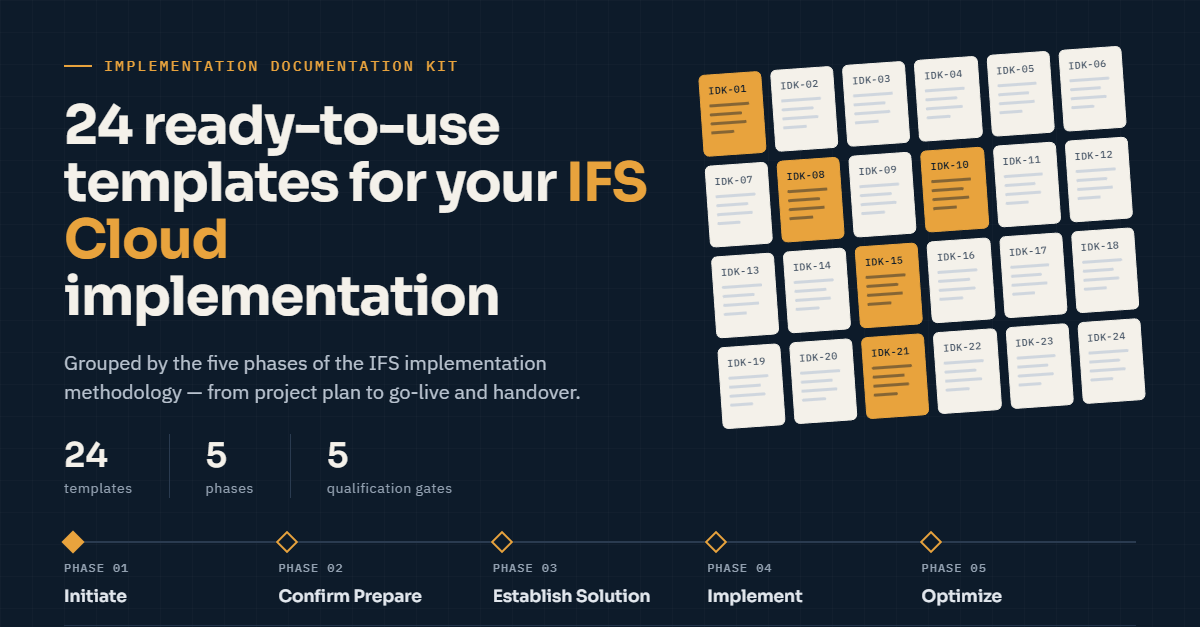
24 ready-to-use templates for an IFS Cloud implementation project, grouped by the five phases of the IFS implementation methodology. Copy a file, replace the bracketed fields, remove the rows marked Example:, and the document is ready for review.
Independent templates aligned with the IFS implementation methodology. Not official IFS documents. IFS is a registered trademark of IFS AB.
How the kit is organised
Every template has the same frame and an ID (IDK-01 to IDK-24) used for cross-references: a front matter block (phase, owner, approver, the qualification gate that needs it), a short "How to use this template", a document control table, the body, and an approval block. Fields in [square brackets] are project-specific. The kit contains no project figures on purpose: durations, thresholds, cycle counts and effort are decisions of your project, so they are fill-in fields.
Index by phase
| # | Template | Phase | Owner | Needed at gate |
|---|---|---|---|---|
| 01 | Project Management Plan | Initiate Project | Supplier project manager (with customer project manager support) | Project Initiated |
| 02 | Project Scope Statement | Initiate Project | Supplier project manager (with customer project manager support) | Project Initiated |
| 03 | Project Organisation and RACI | Initiate Project | Customer project manager and supplier project manager (joint) | Project Initiated |
| 04 | Risk Register and Issue Log | All phases | Customer project manager (with supplier project manager support) | Project Initiated (register and process in place); reviewed at every later gate |
| 05 | Communication Plan and Stakeholder Analysis | Initiate Project | Customer project manager (with supplier project manager support) | Project Initiated |
| 06 | Steering Group Pack | All phases | Customer project manager and supplier project manager (joint) | Project Initiated (terms of reference approved); used at every gate for the status report and gate decision |
| 07 | Change Request and Change Control Procedure | All phases | Customer project manager and supplier project manager (joint) | Project Initiated (procedure approved); applied until Go Live Complete |
| 08 | Qualification Gate Checklists | All phases | Customer project manager and supplier project manager (joint) | All five gates (Project Initiated, Solution Confirmed, Solution Established, Go Live Authorised, Go Live Complete) |
| 09 | Book of Rules | Confirm Prototype (revised during Establish Solution) | Customer functional team lead, supported by the application consultant | Solution Confirmed |
| 10 | CRIM Log | Confirm Prototype (needs identified), Establish Solution (specified, built, tested) | Supplier project manager, with the technical solution manager | Solution Confirmed (needs identified), Solution Established (objects delivered) |
| 11 | Functional Specification for an Integration or Modification | Establish Solution | Application consultant, with the technical solution manager | Solution Established |
| 12 | Configuration and Report Specification | Establish Solution | Application consultant or customer technical analyst | Solution Established |
| 13 | Interface Register | Confirm Prototype (must exist before build starts), maintained through Go Live and into support | Customer technical analyst for integrations, supported by the technical solution manager | Solution Confirmed |
| 14 | Data Migration Strategy | Initiate Project | Customer project manager, supported by the supplier project manager | Project Initiated |
| 15 | Data Migration Plan and Customer Data Readiness Checklist | Confirm Prototype (plan established), maintained through Establish Solution and Implement Solution | Customer data migration lead, supported by the data migration consultant | Solution Confirmed |
| 16 | Step-by-Step Guide (End-User Work Instruction) | Establish Solution (drafted in solution workshops, final at SAT), revised in Implement Solution after ORT | Customer functional team member or expert user for the process | Solution Established |
| 17 | Test Strategy | Initiate Project (drafted), maintained through Implement Solution | Customer test lead | Project Initiated |
| 18 | SAT and ORT Test Script and Sign-off | Establish Solution (SAT), Implement Solution (ORT) | Customer test lead | Solution Established (SAT), Go Live Authorised (ORT) |
| 19 | Training Plan and Course Description | Establish Solution (prepared), Implement Solution (delivered) | Customer training lead | Solution Established (plan approved), Go Live Authorised (training delivered) |
| 20 | Cutover Plan, Checklist and Contingency | Implement Solution (prepared and rehearsed), Go Live (executed) | Cutover manager | Go Live Authorised |
| 21 | Go-Live Readiness Decision | Implement Solution | Customer project manager | Go Live Authorised |
| 22 | Handover to Support | Go Live | Supplier project manager | Go Live Complete |
| 23 | Update Strategy (Evergreen) | Initiate Project (first decision), maintained after Go Live | Customer system owner | Project Initiated (cadence decided), Go Live Complete (operating model confirmed) |
| 24 | Project Closure and Lessons Learned | Go Live | Customer project manager | Go Live Complete |
Minimum set if time is short
If the project is already running and nothing is written down, start with five: IDK-08 (gate checklists, to see what is missing), IDK-04 (risks and issues), IDK-07 (change control), IDK-13 (interface register) and IDK-10 (CRIM log). These five stop the most expensive surprises: unapproved scope, untracked modifications and interfaces nobody owns.
Where read-only integrations fit
An external service that only reads IFS Cloud through OData and installs nothing in the tenant creates no CRIM object to specify in template IDK-11 or IDK-12. It still holds credentials against production, so it is listed in the Interface Register (IDK-13), in the third-party integrations section of Handover to Support (IDK-22), and in the projections check of the Update Strategy (IDK-23). Templates IDK-13, IDK-22 and IDK-23 carry an example row for this case.
Before you hand a filled template to anyone
Rows marked Example: illustrate the expected level of detail. Page names, statuses and feature names in them are illustrative: confirm each against your own IFS Cloud release, then delete the Example: rows.
Independent template aligned with the IFS implementation methodology. Not an official IFS document. IFS is a registered trademark of IFS AB.